Lumagen Radiance Pro and ArtisaN: The Complete Guide to Lumagen Video Processors
Reference video processing for projectors and large screens
A Lumagen is a video processor: a box that sits between your sources and your projector or display and takes responsibility for how every signal is scaled, colour-managed, tone-mapped and framed before it reaches the screen. Lumagen, based in Oregon, has built this type of product for more than two decades, and its Radiance Pro family has become the reference choice in many of the best home cinemas in the world. The newer ArtisaN range extends the same approach to 8K-ready hardware.
The reason a processor like this exists is that a projector, however good, is asked to do too many jobs at once. It has to scale a 1080p or standard-definition source to its native resolution, tone-map high dynamic range content that it is not bright enough to display as mastered, correct colour, and fill a screen whose shape rarely matches the film in the player. Doing all of that inside the display is a compromise. Doing it in a dedicated processor, with a purpose-built scaler, a proper 3D colour table and an aspect ratio engine that understands cinema screens, is a different standard of result.
This guide explains what the Lumagen range is, how each part of the processing works, how the models differ, how a Lumagen handles screen shape and aspect ratio, and when it is worth specifying. It is written for anyone planning a dedicated cinema, and it links to our other guides where a subject needs more depth, including movie aspect ratios and home cinema calibration.
What a Lumagen Video Processor Actually Does
The easiest way to understand a Lumagen is to follow a signal through it. Every source connects to its own HDMI input, and Lumagen’s argument is that each source should have a dedicated input rather than being switched through other equipment first, because a long chain of switchers and receivers degrades the signal before processing even starts. Inside the unit the signal passes through a processing pipeline, and the result leaves through the main output to the projector or display. On suitable models a second output carries audio only, so the sound can go to the audio processor without passing through the picture path.
The processing is built around the following blocks, each covered in detail below.
- Scaling. Lumagen’s NoRing scaler converts standard-definition, 720p and 1080p sources to the resolution of the display, and handles deinterlacing and film cadence.
- HDR dynamic tone mapping. Each frame is analysed and mapped to what the projector can really achieve.
- Colour management and calibration. A 17 x 17 x 17 three-dimensional lookup table, a 21-point greyscale and gamma control and storage for multiple calibrations.
- Aspect ratio and masking. Automatic detection of the picture shape, programmable zoom and anamorphic stretch, and control of motorised screen masking.
- Source management. Memories per input, lip-sync adjustment, and a low-latency mode for gaming.
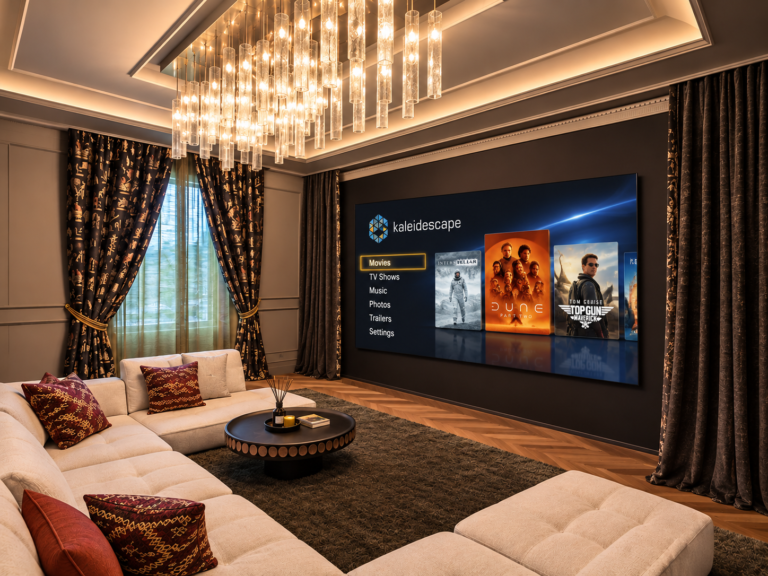
Because everything is configured inside one processor, a cinema can be tuned once and then behave consistently whichever source is playing. For the household that matters as much as the picture quality: a Kaleidescape film, a streamer and a games console all arrive correctly sized, correctly coloured and correctly framed, without anyone touching a projector menu.
Dynamic Tone Mapping: Getting HDR onto a Projector
High dynamic range content is mastered for displays far brighter than a projector can be. A UHD Blu-ray may be graded to 1,000 nits or 4,000 nits, while a projector on a large screen might deliver a small fraction of that. The picture therefore has to be compressed to fit, and how that compression is done decides whether highlights keep their detail and whether the image looks natural or dim and flat. This process is called tone mapping.
The standard HDR10 format carries static metadata, a single description of the brightest and darkest content for the entire film. A tone map built from it must be a compromise, because the brightest scene in the film sets the curve for every other scene. Lumagen’s dynamic tone mapping takes a different route. It analyses each frame across multiple regions of the picture, detects scene changes and adjusts the mapping frame by frame. Because it works from the picture itself rather than relying only on metadata, it also copes when metadata is incorrect or missing, which is a real problem with some sources.
Lumagen states that its tone mapping closely matches the studio reference master in colour and brightness, and independent reviewers have been consistently positive. In a review of the Radiance Pro, Australian magazine Stereo.net described the HDR results as some of the best they had seen from a projector, and found that the processor lifted modest projectors such as the Sony VPL-VW270ES and BenQ W12000 to a level that looked far more expensive. One technique the reviewer used is worth knowing: running the projector in an SDR mode so that its own tone mapping is bypassed, and letting the Lumagen deliver HDR content within that SDR container. Lumagen introduced the feature as a free update some years after the Radiance Pro launched, and it is available across the range.
It is fair to say that modern projectors from JVC and Sony now include capable dynamic tone mapping of their own, and the gain from adding a processor varies with the projector, the screen and the room. That is why we audition and measure rather than assume. A dedicated processor tends to show its value most clearly when the projector is modest in light output, when the screen is large, or when several different sources and aspect ratios have to be handled consistently.
Formats are worth stating precisely. The Radiance Pro family supports HDR10 and HLG, and is compatible with Dolby Vision sources delivered in the low-latency (LLDV) form. Lumagen’s own description of the range does not list HDR10+ support.
NoRing Scaling: Why Resolution Conversion Still Matters
Most of what people watch is not native 4K. Broadcast television, many streams, older discs and games all arrive at lower resolutions, and something has to enlarge them to fill a 4K panel. A weak scaler introduces edge ringing, the faint halos around hard edges, and softness. Lumagen’s NoRing scaler is designed to avoid those artefacts, and the company reports that it scores more than 20 percent higher than competing scalers in analysis using the Tektronix PQA600C picture quality tool, a measurement that takes viewing distance into account. Scaling quality matters on exactly the content that fills most viewing hours.
The scaler works alongside per-pixel deinterlacing, ten-bit front-end processing and film cadence handling that can output 24, 48 or 72 frames per second where required. An edge enhancement control is included to recover detail lost to compression. As with every setting, the aim is a natural picture, and these controls are set during calibration rather than left at generic values.
Colour Management and Calibration
Calibration is where the Lumagen separates itself from most display-based controls. Its colour management uses a true 17 x 17 x 17 three-dimensional lookup table, 4,913 points, applied in a linear-gamma RGB space. A simple colour management system adjusts a handful of colours independently, and correcting one tends to disturb its neighbours. A 3D table maps the whole colour volume, so the whole gamut can be corrected together. Alongside it sits a 21-point greyscale and gamma control, with stored banks for different calibrations.
The processor generates its own test patterns and works with the main calibration software packages, including ChromaPure, CalMAN and ColourSpace, which means the measurement software can drive the Lumagen directly and write the correction into it. That makes it possible to store separate calibrations for SDR Rec. 709, wide-gamut SDR and HDR, and to switch between them automatically as the source changes. The processor stays in the signal path and applies the correction in real time, which is how a reference-quality grade can be maintained for every source in the cinema.
This depth is also why installation matters. A European review of the Radiance Pro was clear that setup is complex and best left to a professional, with menus, programming and 3D lookup table creation that are far from self-explanatory. The most capable processor in the world delivers little if it is set up generically. Our calibration process measures the display in the finished room and builds the correction for each format.
Aspect Ratio, Zoom and Masking
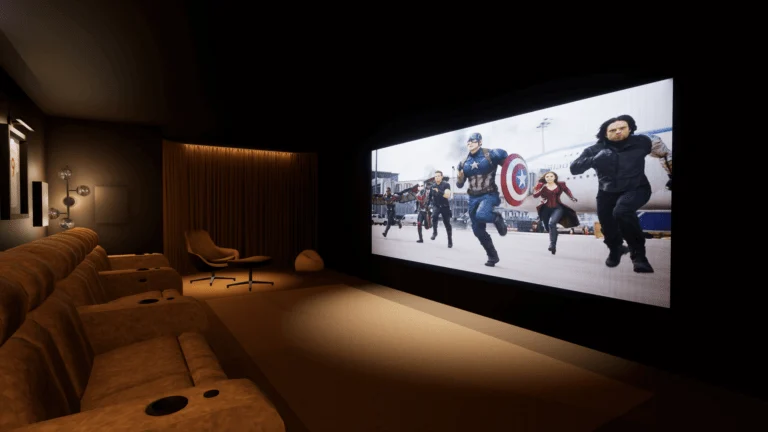
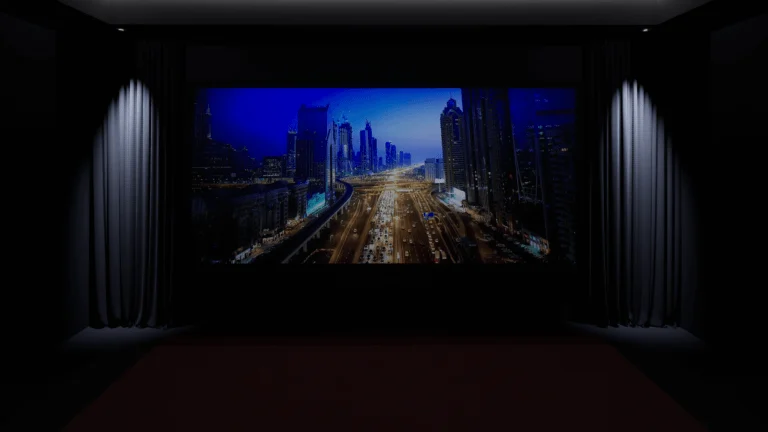
This is the part of a Lumagen that most affects how a cinema feels day to day, and the part that links most directly to screen design. Films are made in many shapes, from 1.33:1 to 2.76:1, and a screen has one shape. Something has to decide how each film is fitted to it. Our guide to movie aspect ratios explains the geometry. The Lumagen is the tool that makes the decision automatically and correctly.
Automatic detection. The Lumagen examines the picture itself and works out the shape of the active image, discarding the black bars that are part of the signal. It applies this to high definition, 4K and HDR sources, and switches quickly when content changes. That matters because a disc player outputs a 16:9 frame regardless of the film inside it, so a 2.39:1 film arrives with black bars baked into the picture. The processor sees them, measures the real picture and responds.
Zoom and fitting. The output size and position are programmable. On a 2.35:1 or 2.39:1 screen, a widescreen film can be zoomed to fill the whole screen and a 16:9 film can be shown at the correct height with the screen sides dark, or in a different fit if the owner prefers. Selectable ratios from 1.10:1 to 2.50:1 allow the picture to be set to the screen shape accurately, rather than approximately.
Anamorphic and non-linear stretch. Lumagen supports anamorphic screens with or without an anamorphic lens, and provides a non-linear stretch that fills a wide screen with 16:9 material by stretching the edges more than the centre, which keeps the main subject natural. Football on a 2.35:1 screen is the classic example: the picture fills the screen instead of sitting in a box with black bars either side.
Masking control. The processor can directly drive motorised screen masking, such as Seymour Screen Excellence systems, so the masks move as the aspect ratio changes. Combined with lens memories on the projector, this gives the effect many people associate with a commercial cinema: the picture changes shape and the screen frames itself around it.
Memories. Each input has multiple stored settings, with sub-memories for different resolutions, and the processor can hold several complete configurations. A cinema might have settings for film, sport, day and night, and recall them automatically or from the control system. Whether a screen uses a constant image height or a constant image width design, the processor can be programmed to suit it. Which approach is right depends on the room and the screen, and it is a decision we settle at design stage.
The Lumagen Range: Radiance Pro Models and ArtisaN
All Radiance Pro models share the same video features: dynamic tone mapping, NoRing scaling, automatic aspect ratio detection, the 3D lookup table and the control functions described above. They support 4K at 60 frames per second on inputs and outputs, with HDCP 2.3. The differences lie in the number of inputs and outputs and, on the top models, the electrical design.
| Model | HDMI inputs | HDMI outputs | Notes |
|---|---|---|---|
| Radiance Pro 4240 | 2 | 2 | Compact entry configuration |
| Radiance Pro 4242 | 4 | 2 | Input cards can be added in the field |
| Radiance Pro 4244 / 4246 | 6 / 8 | 2 | More inputs without the extra outputs and picture-in-picture hardware |
| Radiance Pro 4444 / 4446 | 6 / 8 | 4 | Full hardware, including picture-in-picture and picture-on-picture |
| Radiance Pro 5244 | 6 | 2 (one audio-only) | Adds HDMI de-jitter circuitry |
| Radiance Pro 5348 | 10 | 3 (one audio-only) | Lowest jitter and electrical noise in the Radiance Pro range |
| ArtisaN 8K Ready | 8 | 2 (one audio-only) | New design; software upgrades to HDMI 2.1, 8K60 and 4K120 |
The reasoning behind the choice is more useful than the model number.
How many inputs. Count every source that will live in the room: a media server, a streamer, a games console, a disc player, a broadcast box. Then add spare inputs. A cinema that grows should not need the processor replaced.
One output or two. A single projector needs only one picture output. A second output is useful for a second display, a preview monitor or an audio-only feed to a separate processor. The higher-numbered models also use input and output cards that can be upgraded in the field.
Why the 5000 series costs more. The 5244 and 5348 add HDMI de-jitter circuitry and, in the 5348, a redesign aimed at lower clock jitter and electrical noise. Published figures put the 5348’s output data jitter at roughly 45 picoseconds against about 80 for the 4000 series, and the intended benefit is cleaner HDMI audio at the receiving processor as well as a slightly cleaner picture. It is the model we look at when the same cinema has an uncompromising audio chain, and one of the reasons an audio-only output is a useful feature.
ArtisaN. Announced in September 2024, the ArtisaN is a completely new design with a more powerful processor chip than the Radiance Pro and a 12-bit 4:4:4 processing pipeline. The initial 8K Ready version supports 4K60 and is designed to be upgraded with software keys, one for HDMI 2.1, 8K60 and 4K120 passthrough and a second for full 8K and 4K120 processing. It is compatible with HDR10, HLG and Dolby Vision LLDV sources. With 8K content still scarce, the practical argument for ArtisaN is longevity: the hardware is designed to accept future signals without being replaced. Lumagen has released it in stages, with production hardware and beta software.
Gaming, Lip-Sync and Everyday Use
A cinema processor also has to be comfortable to live with. Lumagen offers a low-latency mode, quoted at around 3 milliseconds, for gaming, and lip-sync controls that compensate for the delay introduced by processing. Memories per input mean the right settings are recalled automatically when a source is selected, so the family never needs to know that the film source is calibrated differently from the console. Control integrates with the cinema’s control system, and in April 2026 Lumagen introduced an external LAN interface, the LAN2RS232, which gives a web interface and network connection for control and monitoring.
In our own projects the processor is rarely something a client operates. It sits in the rack, is set up and calibrated once, and then simply makes everything look right. That is the best measure of a good video processor.
Lumagen Compared With Other Approaches
There are three ways to approach processing, and each can be right. The first is to rely on the projector or display alone, which suits simple rooms, a single source and a modest budget. The second is a purpose-built processor, which is what Lumagen makes: a compact, self-contained unit that is set up by an installer and then left alone. The third is a PC-based processor such as madVR Envy, which takes a different architectural route and has its own enthusiasts. Both dedicated approaches can deliver outstanding images. Lumagen’s comparison material emphasises a small rack unit, predictable operation and long manufacturer support, which are advantages in a residential system that has to run reliably every day.
The choice depends on the display, the room, the sources and who will look after the system. We specify the processor as part of the whole picture chain: projector, lens, screen, masking and calibration. Our dream specification cinema design explores one such chain in detail.
When a Lumagen Is Worth Specifying
A dedicated cinema with a projector and a scope screen: this is the natural home of a Lumagen. Automatic aspect ratio control, masking, per-format calibration and dynamic tone mapping all matter, and they are the reasons the Radiance Pro appears so often in reference rooms.
A large screen or a modest projector: where light output is the constraint, tone mapping quality decides how much of the HDR picture survives. This is where processing gains are most visible.
A direct-view LED wall or large display with many sources: scaling, consistency and calibration across different inputs justify a processor. Our Rome cinema uses a Lumagen Radiance Pro in front of a 3m by 2m LED wall for exactly this reason, and you can read it in our Rome Steinway Lyngdorf cinema case study.
A simple living room with a television: a processor is rarely needed. The display’s own processing is usually the right answer, and money is better spent on acoustics, calibration and seating.
How We Specify and Install a Lumagen
The processor is chosen after the screen and projector, not before. We settle the screen shape and masking strategy first, because they determine the aspect ratio programme. We then count the sources and choose the number of inputs with room to grow, decide whether the audio-only output is needed, and plan 18 gigahertz certified cabling, using active or fibre cables for longer runs, since the cable is part of the signal chain. Finally, the unit is configured and calibrated in the finished room, with its settings recorded so the system can be restored after any future service.
If you are planning a cinema and want a processing chain designed properly around your screen, projector and sources, get in touch to discuss your project. You can also explore our home cinema installation service and our home cinema design guide.
Frequently Asked Questions About Lumagen
What does a Lumagen video processor do?
It sits between your sources and your projector or display and handles scaling, HDR dynamic tone mapping, colour management, aspect ratio detection and screen masking, so every source reaches the screen correctly sized, coloured and framed.
Do I need a Lumagen if my projector has tone mapping?
Not always. Modern projectors include capable tone mapping, and the benefit of a processor depends on the projector, screen size and room. It is most valuable on large screens, modest projectors and systems with many sources and aspect ratios.
What is the difference between the Radiance Pro and the ArtisaN?
The Radiance Pro is Lumagen’s established 4K60 family. The ArtisaN is a new design with a more powerful processor and a 12-bit 4:4:4 pipeline, supplied as 4K60 and upgradeable by software key to HDMI 2.1, 8K60 and 4K120.
Does a Lumagen handle 2.35:1 and anamorphic screens?
Yes. It detects the picture shape automatically, supports selectable aspect ratios from 1.10:1 to 2.50:1, works with anamorphic screens with or without a lens, and offers a non-linear stretch for filling a wide screen with 16:9 material.
Can a Lumagen control screen masking?
Yes. It can drive motorised masking systems such as Seymour Screen Excellence, so the masks move with the aspect ratio of the film.
Does a Lumagen support Dolby Vision and HDR10+?
The Radiance Pro family supports HDR10 and HLG and is compatible with Dolby Vision LLDV sources. HDR10+ is not listed among its supported formats.
Can I set up a Lumagen myself?
It is possible, but reviewers describe the setup as complex, with menus, programming and 3D lookup table creation that benefit from professional measurement. We configure and calibrate it in the finished room as part of the installation.