
Private Residence UniFi Network Install
Summary
- Large Private Residence — Whole-Home UniFi Network over Three Floors
- UniFi Dream Machine Pro Max Gateway and Firewall
- 7 x UniFi Switches on a 10 GbE Backbone
- 20 x WiFi 7 Access Points — 18 Indoor, 2 Outdoor
- Every Access Point Hard-Wired over 2.5 GbE PoE
- 4 x Separate Networks
- 31 x Wired Music Players on a Dedicated Control Network
- Steinway Lyngdorf Hi-Fi Zones on Their Own Network
- Dual Internet Connections from Two Providers
- UniFi Network Storage on 10 GbE
- Secure Remote Access via UniFi Teleport
A Whole-Home Network, Engineered Room by Room
This private residence UniFi network install covers a large home and its outdoor spaces across three floors, carrying everything from lighting processors and thirty-one music players to Steinway Lyngdorf hi-fi zones, cinema sources, heating controls and the family’s own phones, tablets and laptops. A UniFi Dream Machine Pro Max sits at the centre, a 10 GbE backbone carries traffic between seven switches, and twenty WiFi 7 access points are cabled back to those switches so that every room, terrace and garden area has its own dedicated wireless coverage. The result is a network the family never has to think about, built so that every other system in the house can rely on it.
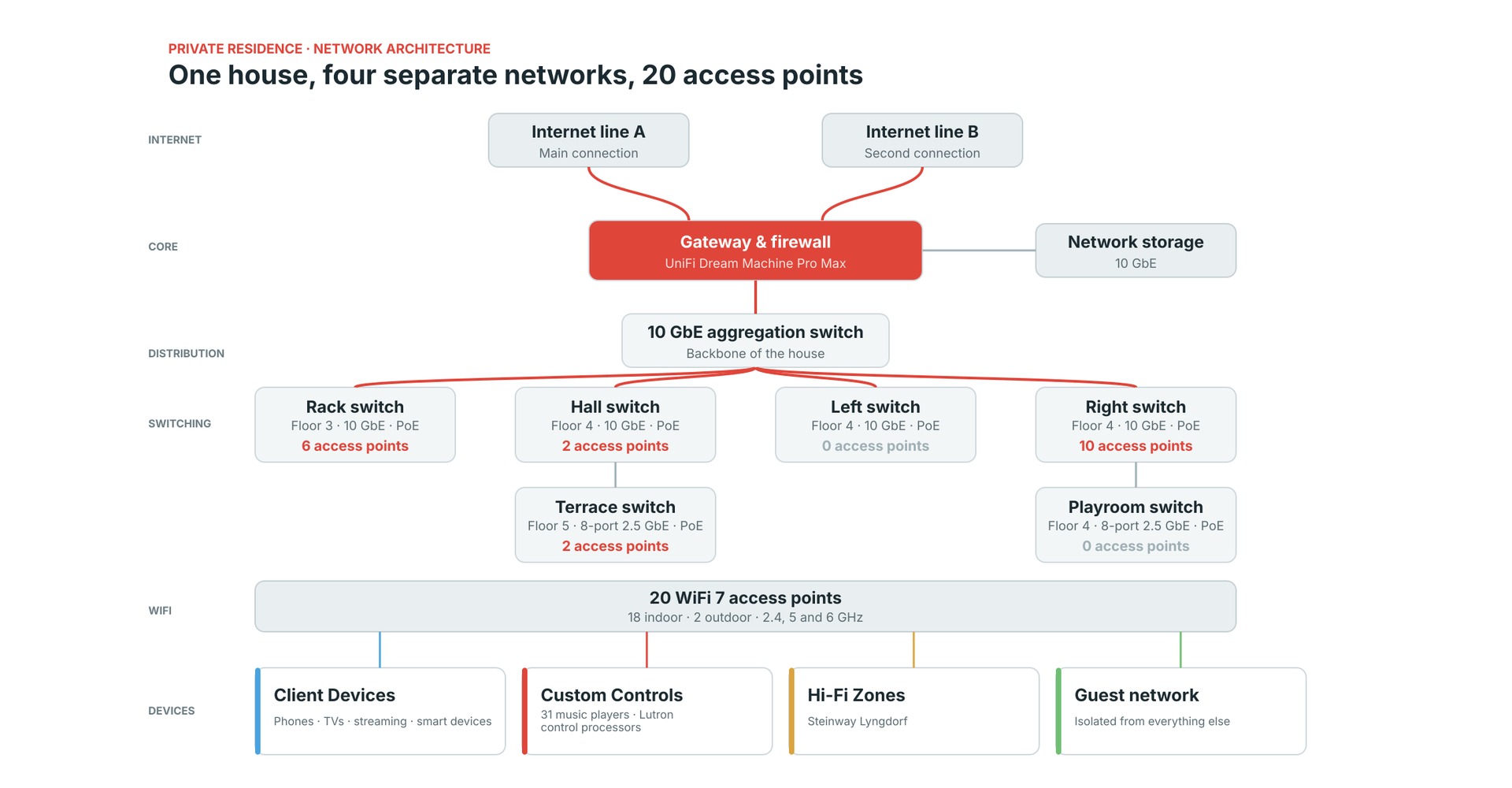
A network of this scale is not a router with a few extra access points. It is an engineered system with a switching hierarchy, a wireless plan, a segmentation strategy and a monitoring dashboard, and each of those layers has been designed around how the house is actually used. This case study sets out how the network is structured, why it is divided into four separate networks, how the access points are allocated across the switches, and what the controller reports about its performance. All identifying details have been removed from the screenshot on this page.
Why a Large Home Needs an Engineered Network
In a large property the network is no longer a convenience that sits alongside the other systems; it is the carrier for all of them. Lighting processors, multi-room audio, hi-fi, cinema sources, heating, storage and the family’s own devices all depend on the same cabling and the same switching, so a fault or a congested link in any one area is experienced as a failure of the whole house. Consumer routers and mesh kits are designed for a few dozen devices in an average dwelling, and they struggle with thick masonry walls, several storeys, outbuildings and the sheer number of always-on devices that a smart home accumulates.
Our approach on every project is the one used on this residence: wire everything that can be wired, give wireless a dedicated access point in the places people actually use it, and separate the traffic that matters from the traffic that does not. That means a proper gateway and firewall, a switching layer sized for the load, enterprise access points planned room by room, and a clear policy for which devices are allowed to talk to which. It is the discipline we apply to home WiFi and network installation for every large property we work on, and it is what allows the smart home systems built on top of it to behave reliably day after day.
Four Networks, One House
The most important design decision on this project was to divide the house into four logical networks rather than place everything on one flat network. UniFi does this with VLANs, which split one physical network into isolated virtual networks, each with its own address range and its own DHCP service. Here those networks are Client Devices, Custom Controls, Hi-Fi Zones and Guest, and the schematic at the top of this page shows how all four sit on the same physical infrastructure. The reasoning behind this approach is set out in our guide to VLAN and network zone design for large homes and estates.
The reasoning is practical rather than theoretical. The devices the family carries into the house, such as phones, laptops, tablets and televisions, are numerous, unpredictable and updated constantly, and they must never be able to disturb the systems that run lighting or music. A guest’s phone, in turn, should not be able to see anything else in the house. Because each network has its own subnet and DHCP scope, a problem on one of them, whether a misbehaving device, a burst of broadcast traffic or a compromised laptop, is contained there and cannot spread to the others.
The split reflects how a modern home is used. The largest network by number of devices is the family’s own equipment, which is constantly changing, but the networks that matter most for day-to-day comfort, the lighting, control and audio systems, are deliberately kept small, quiet and predictable. That is why the Custom Controls and Hi-Fi Zones networks carry only the equipment that belongs on them, and nothing that arrives or leaves with a guest or a new phone.
A 10 GbE Backbone and Seven UniFi Switches
Everything starts at a UniFi Dream Machine Pro Max, which acts as the gateway, firewall and controller for the entire system. It connects to a central aggregation switch over 10 GbE, and that aggregation switch feeds four further 10 GbE switches serving the equipment rack, the hall, and the left and right sides of the house. The network is split across three floors, with the main equipment rack on the lowest, the hall, left, right and playroom switches on the middle floor and the terrace switch on the top floor, so each floor is served by switching close to the rooms it covers. Two compact 8-port 2.5 GbE PoE switches, one at the terrace and one in the playroom, extend the network to the outer parts of the property, daisy-chained from the hall and right-hand switches respectively.
Five of the seven switches are UniFi Pro XG 48 PoE models and two are UniFi Flex 2.5G 8 PoE models. PoE matters because each access point is powered through the same single cable that carries its data, so there are no power supplies hidden in ceilings and every access point can be power-cycled from the rack. In total, 22 devices are enrolled in UniFi’s PoE auto-recovery, which restarts a port automatically if the device behind it stops responding, so a hung access point recovers on its own without anyone visiting the house.
A UniFi network storage unit connects directly to the gateway at 10 GbE, giving the house local storage on a dedicated high-speed link. Keeping the heavy, sustained traffic of file storage on its own 10 GbE connection means it does not compete with the audio, control and wireless traffic that the rest of the infrastructure carries.
Twenty WiFi 7 Access Points, Allocated Switch by Switch
The wireless network is built from 20 UniFi access points: 18 indoor U7 Pro units and two U7 Outdoor units covering the garden. Every access point is cabled back to a switch over a 2.5 GbE link, so wireless capacity is never throttled by the connection behind it. Six access points are served from the equipment rack switch on the lowest floor, covering the storage, office, dressing room, guest living and master bedroom areas. On the middle floor the hall switch serves two, in the hall and the garden, and the terrace switch on the top floor serves a further two, in the garden and gym.
The largest group, ten access points, is served from the right-hand switch, which covers the cinema, kitchen, laundry, playroom and bedroom areas. The remaining switches carry wired equipment rather than wireless, which keeps each switch’s load easy to understand and each fault easy to isolate. This allocation is shown switch by switch on the schematic at the top of the page, with the number of access points inside each switch box, and the logic is simple: place access points where people are, and give each its own cable and its own PoE port.
Because every access point has its own wired backhaul, radio planning can be done properly. The 2.4 GHz radios are spread across the three non-overlapping channels, 1, 6 and 11, at 20 MHz. The 5 GHz radios use 80 MHz channels spread across the band, and the 6 GHz radios use 320 MHz-wide channels, the widest that WiFi 7 allows. The controller rates the access point density as good, and its WiFi connectivity health shows a 100 per cent success rate for association, authentication, DHCP and DNS.
Two wireless networks are broadcast from every access point: a main network and a separate guest network, both across the 2.4, 5 and 6 GHz bands and both secured with WPA2/WPA3. The main network is mapped to the Client Devices network and the guest network to the Guest network, so a device’s wireless connection decides which part of the house it can reach.
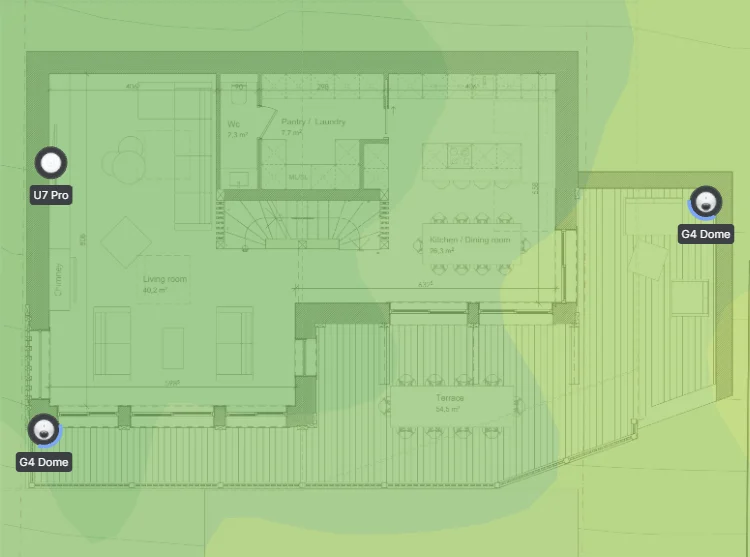 Home WiFi and NetworksEnterprise-grade WiFi and networking for large homes.
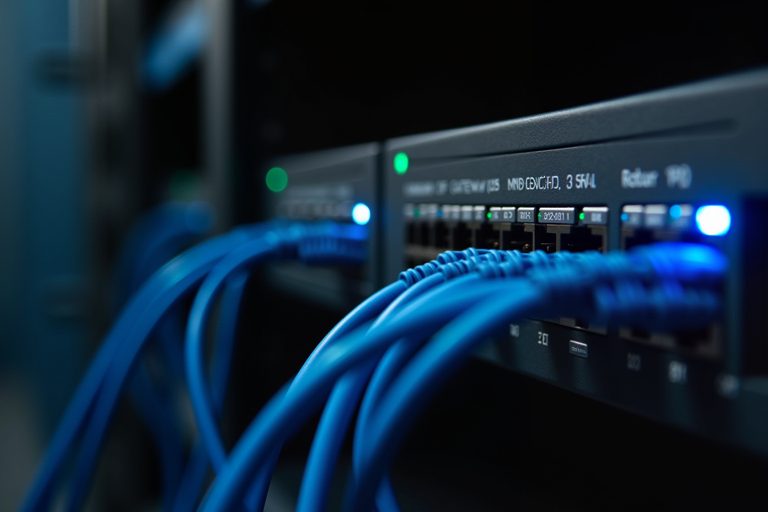 Managed Home NetworkRemote monitoring, updates and support for large homes and estates.
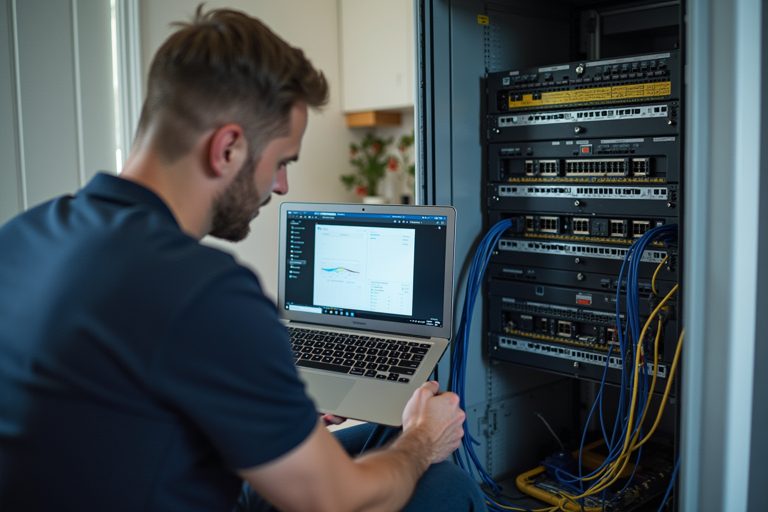 Network Takeover and SupportA network installed by someone else, documented, secured and supported.VLAN and Network Zone DesignSeparating guests, staff, cameras and family on a large home network.
 Dubai Crestron InstallAward-Winning Estate
Custom Controls Network: 31 Music Players and Lutron
The Custom Controls network carries the devices that make the house work rather than the ones the family carries around. It includes 31 Bluesound music players, which are hard-wired over gigabit Ethernet rather than relying on WiFi, and the Lutron lighting-control processors. Wiring every player is the single most effective step towards dropout-free multi-room audio, because it removes wireless contention from the audio path altogether.
There is a good engineering reason to keep these devices on a network of their own. Networked audio players find each other and are controlled using multicast and broadcast discovery protocols, and confining that chatter to a dedicated network keeps it predictable and keeps it away from the busier client network. Lutron lighting control has a similar profile: very little bandwidth, but a need for instant, reliable response every time a keypad is pressed.
The guest suite is a good example of segmentation working in the guests’ favour. A named list of the three guest-suite music players, held in the UniFi policy engine as a network list, gives the firewall a single object to reference, so guests on the Guest network can be allowed to control the music in their own rooms without gaining access to anything else on the Custom Controls network. That is a far better outcome than either blocking guests from the audio system entirely or placing them on the same network as the lighting.
Hi-Fi Zones: Steinway Lyngdorf on Their Own Network
Ten Steinway Lyngdorf devices sit on a network of their own, named Hi-Fi Zones. They include P100 processors serving the bedrooms, living rooms, dining room and guest areas, and a P300 in the cinema. These are the highest-fidelity sources in the house, and they receive the treatment that the most demanding equipment receives on every project we design: a dedicated network with a dedicated address range.
Keeping them apart from the Client Devices network means that a phone update, a laptop backup or a family film download can never compete with a hi-fi stream for bandwidth or processor attention on the network. It also means the zones can be monitored as a group: if one of the ten stops responding, it is obvious at a glance, because the network it lives on contains nothing else. Our Steinway Lyngdorf installation and hi-fi work follows the same principle wherever these systems are installed.
Client Devices and Guest Networks
The Client Devices network is the largest of the four. It carries the cinema’s Apple TV, Sky and Samsung sources and an Amazon Fire stick, the heating controller, the Nest devices, and all of the phones, tablets and laptops that the family and its visitors bring into the house. It is the network with the most churn, as devices arrive, leave, update and change, and it is exactly the network that should have no ability to interfere with the other three.
The Guest network is deliberately minimal. It has its own subnet, it is isolated from the other networks, and it is broadcast from every access point across all three bands, so guests receive the same 6 GHz coverage and the same room-by-room signal quality as the family. The guest WiFi is a separate wireless network with its own security, which means it can be changed, restricted or switched off without any effect on the main network.
Two Internet Connections and Secure Remote Access
The gateway has two internet connections from two different providers, each on its own WAN port. A house with this many dependent systems, from cloud-connected music and television sources to remote monitoring, should not have a single point of failure at the front door, and the loss of one line does not leave the house without internet. Both connections are monitored continuously by the gateway, which records uptime, latency, packet loss and utilisation for each line.
Secure remote access is provided through UniFi Teleport, a VPN with its own address range that sits entirely separate from every network in the house. It allows the owner to reach the network from outside the property and allows remote support where it is needed, without opening ports on the firewall or exposing any device in the house to the internet.
Performance: What the Dashboard Shows
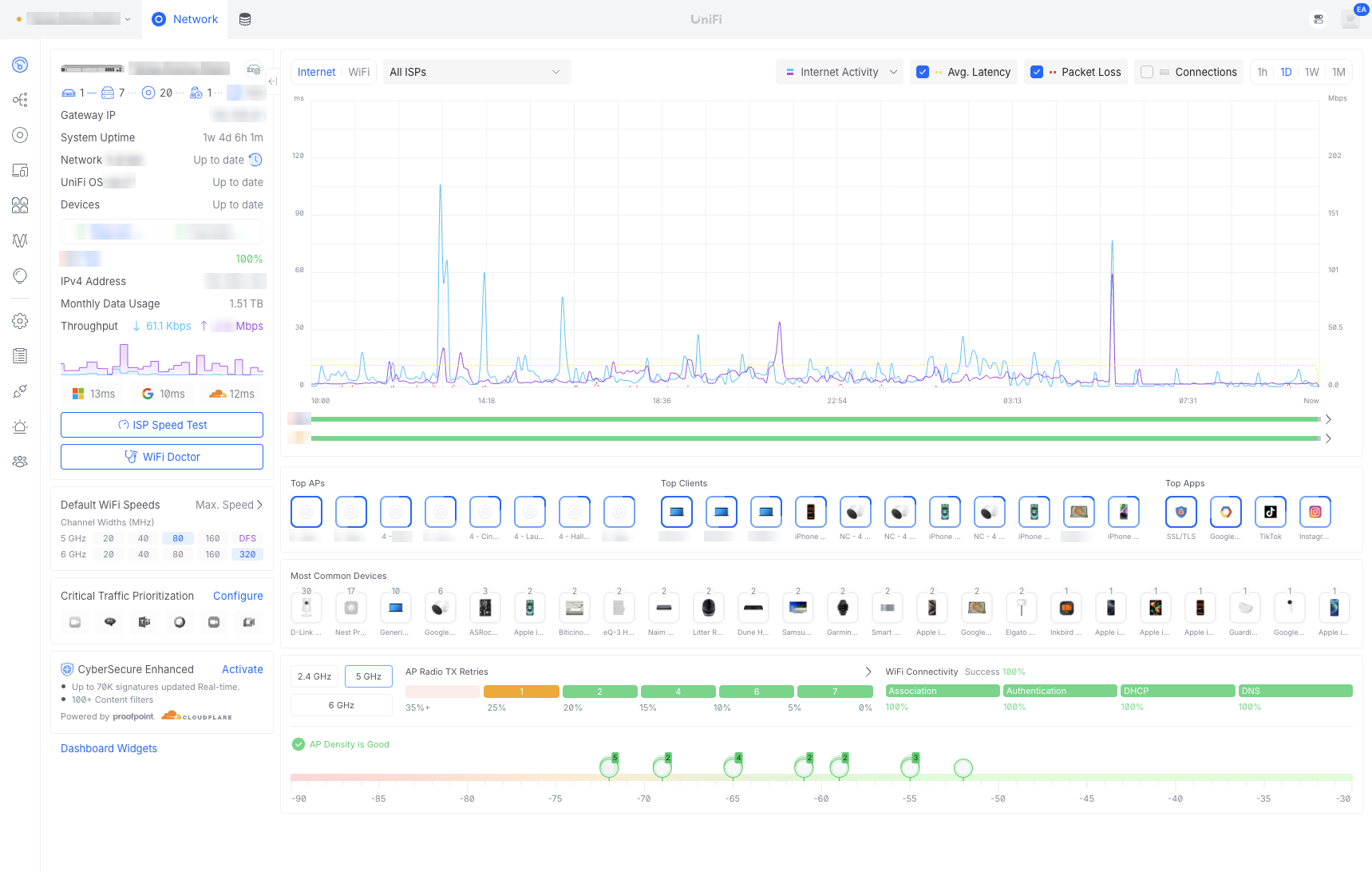
The controller dashboard screenshot shows the network in operation. Both internet connections report 100 per cent uptime, with latency of 11 to 12 ms. Peak utilisation on the day shown was 9 per cent downstream and 8 per cent upstream on the first line, and 17 per cent downstream and 3 per cent upstream on the second, which shows how much headroom a correctly specified network leaves. The house used around 1.5 TB of data in the month.
Wireless health is equally strong. Radio retry rates are low across the access points, connection success is 100 per cent, and the controller reports the gateway, the network application and every connected UniFi device as up to date. That is the real measure of a network built properly: the family does not notice it, the control systems do not fail because of it, and any problem that does arise is visible on the dashboard before it is felt in the house.
The same dashboard also shows the busiest access points, the most common device types and the distribution of signal strength across the house, which gives a clear picture of where the load falls and whether any area needs attention. Reviewing these figures as part of ongoing support means small changes, such as a rising retry rate or a crowded channel, can be corrected quietly before anyone in the household notices them.
Support and Ongoing Management
A network of this size is not finished at installation. The UniFi controller gives continuous visibility of every switch, access point and client, and that visibility is what allows firmware updates, channel adjustments and fault diagnosis to be managed as part of an ongoing service rather than as emergency call-outs. Because we design the network alongside the lighting, audio, cinema and control systems it carries, we understand how a change in one area affects the others.
Large networks of this kind can be placed under our managed home network service, with monitoring, updates and support handled remotely, and where a network was installed by someone else we offer network takeover and support. If you are weighing UniFi against other platforms for a large property, our comparison of Meraki, Ruckus, Pakedge and UniFi sets out how they differ.
Whether the brief is a new build, a renovation or a failing network in a home that has outgrown its original equipment, the starting point is the same: understand what will depend on the network, decide how it should be divided, and build the infrastructure so that it has room to grow. For a property of this scale, that is the difference between a house that works and a house that merely has WiFi.
Frequently Asked Questions — Private Residence UniFi Network
- How many devices can a UniFi network support in a large home?
UniFi comfortably supports far more devices than a typical home contains. This residence runs across 7 switches and 20 access points on three floors, and the design limits are set by switching capacity, PoE budget and access point placement rather than by the controller or the number of clients. Careful planning of those three things is what keeps a large network quick and stable. - Why put music players on a separate network from phones and laptops?
Networked audio players use multicast and broadcast discovery protocols and need consistent, low-latency delivery. Placing them on a dedicated network keeps that traffic away from the unpredictable client devices that join and leave the house all day, so music keeps playing when someone downloads a large file or updates a device. - Do all of the access points need to be cabled?
On a project of this size, yes. Every access point in this house has its own cable back to a PoE switch, which provides both power and a 2.5 GbE data connection. A wired backhaul gives each access point its full capacity and allows 5 GHz and 6 GHz channels to be planned precisely, which a wireless mesh cannot do. - Can guests use the WiFi without reaching the home’s control systems?
Yes. The Guest network is a separate VLAN with its own subnet and its own WiFi network, isolated from the Client Devices, Custom Controls and Hi-Fi Zones networks. Specific access, such as control of the music players in the guest suite, can be granted deliberately without opening up anything else. - What happens if one of the internet connections fails?
The gateway is connected to two internet lines from two different providers, so the loss of one does not leave the house offline. The UniFi controller records uptime, latency and utilisation for each line, which makes any problem easy to see and to report to the provider. - Can the network be monitored and supported remotely?
Yes. The UniFi controller shows every switch, access point and connected device, and UniFi Teleport provides secure remote access to the network without opening ports on the firewall. That means faults can be diagnosed and firmware updates managed without a visit to the house.
Home WiFi and Networks → · Managed Home Network → · Multi-Room Audio → · Steinway Lyngdorf → · Lighting Control →