

Home Network Takeover and Support for Large Homes
Take Over a Network Installed by Someone Else
A large house often inherits its network from someone who is no longer there. The installer has retired or closed, the builder or electrician cabled it and left, a technically minded relative set it up, or the house has changed hands and nobody knows where the passwords are. The network may work today, but nobody is responsible for it, nobody has documented it, and the first anyone knows of a fault is when something in the house stops. Our network takeover service makes us responsible for it: we document it, secure it, stabilise it and bring it under monitoring, so that it has an owner again.
We take over networks in large homes and estates, whatever their age or origin. The work starts with discovery and a health check, not with replacement. Where the equipment and cabling are sound we keep them. Where they are not, we say so plainly and set out what to change and in what order.
Who This Is For
Owners whose installer has retired, closed or stopped responding. New owners of a property whose network was left undocumented. Households whose network was installed by a builder, an electrician or a general AV firm with no ongoing support. Estates that have grown a network over years and now have several kinds of equipment, several cabinets and several people with access. And anyone who has been told that the network is fine and does not believe it.
It also suits households whose network works but is unsupported: nobody holds the passwords, nobody knows what the equipment is, and the person who understood it left the household’s service long ago. A takeover turns that situation into one with current records, a named team and a plan, before a failure forces the issue. The size of the property is not the test; dependence on the network is.
How a Takeover Works
Discovery. We establish what is there: the equipment, the cabling, the internet connections, the management accounts and who owns them, and the devices on the network.
Ownership and access. We regain or establish administrative control. With cloud-managed platforms such as Cisco Meraki and Ubiquiti UniFi, the management account is often held by the previous installer, so we work with you and them to transfer ownership.
Documentation. We record the topology, VLANs and addressing, equipment inventory, cabinet layouts and cable labelling, and store credentials securely, so the network no longer depends on one person’s memory.
Health check. We test coverage, throughput, roaming, switching, power and the internet connection, using the same method as our network audit.
Security remediation. Default or shared passwords are replaced, firmware is brought up to date, unnecessary remote access is closed, and the network is segmented where personal devices, guests, cameras and building systems have been sharing one flat network.
Stabilise and back up. A known-good configuration is saved, so that any piece of equipment can be replaced and restored.
Monitoring. Once the network is documented and sound, it is enrolled in our managed home network service, and we are alerted to problems before the household notices.
Improvement plan. We recommend, in order of priority, what to repair, replace or extend, and carry out the work when you are ready.
Equipment We Take On
We are most at home with the enterprise platforms we specify ourselves: Cisco Meraki, Ruckus, Pakedge and Ubiquiti UniFi, which offer the central management, monitoring and security that a large property needs. Other equipment is assessed individually. Consumer routers, extenders and mesh kits can be made to work, but they give little visibility and limited control, and where they are the weak point in a large house we say so and recommend a managed replacement, planned so that the household is not left without connectivity.
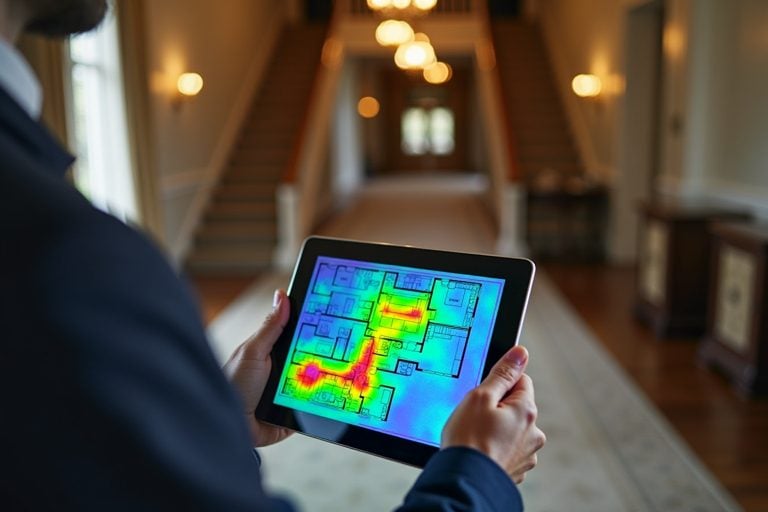 Network Audit and RescueFind out why your wifi fails and what it takes to fix it.
 Managed Home NetworkRemote monitoring, updates and support for large homes and estates.
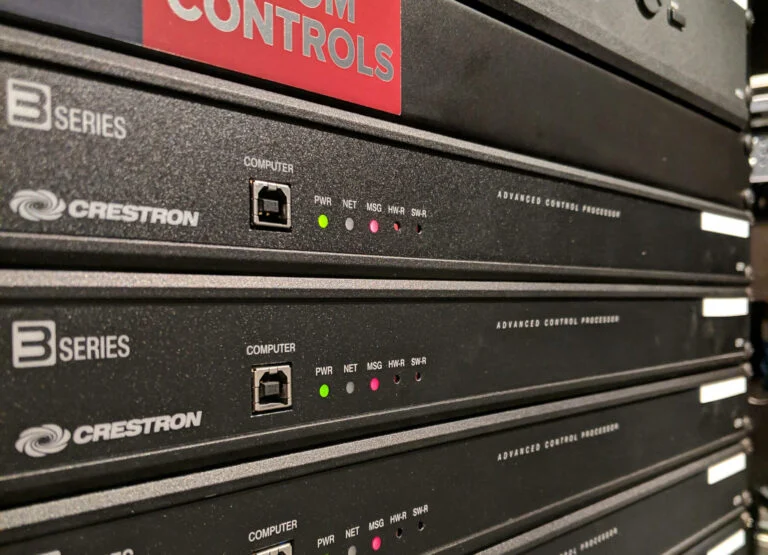 Crestron Maintenance and SupportSupport for Crestron systems, including those installed by others.Aftercare and MaintenanceOngoing support for the whole smart home, from first brief to long-term care.
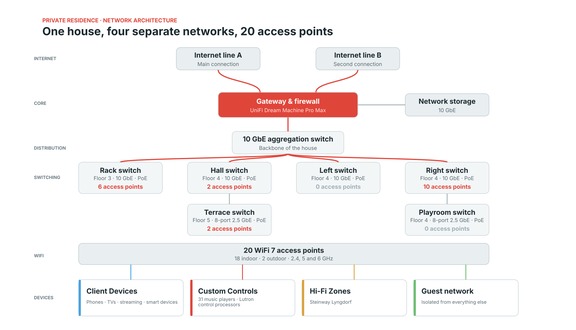 Private Residence UniFi Network20 WiFi 7 access points and a 10 GbE backbone over three floors.
Estates, Staff and Several Sites
Large properties rarely have one simple network. An estate may have a main house, a guest wing, staff accommodation, an estate office, a gatehouse and outbuildings, each with its own equipment and its own people, and a network that has grown to serve them in stages. We map each building and link, separate household, guest and staff traffic, and make sure the connections between buildings, whether fibre in duct or point-to-point wireless, are documented, protected and monitored. Where a family has several properties, one management view can cover them all.
Staff and guest networks need particular care. Staff devices, estate office systems, personal phones, guests, the household’s own computers and the building’s cameras and controllers have different needs and different levels of trust, and a takeover separates them so that one cannot see or disturb another. Where a property manager or estate office looks after day-to-day requests, we can agree how changes are handled, so that a new device, a visiting guest or a new member of staff is dealt with simply and the arrangements stay documented.
Buying or Inheriting a Property
New owners are often handed a house whose network nobody can explain. A takeover review before you move in, or before building work begins, tells you what you have: where the cabling runs, which equipment is fit for purpose, what is exposed or out of date and what should be replaced first. It is far easier to correct a network in an empty house than in a lived-in one.
The review covers the equipment, the cabling and the way it is arranged, and also the things that are hard to see: whether the previous owner or installer still has access to cloud management and cameras, whether default passwords remain, and which systems depend on the network in ways that are not obvious. It gives the new owner, their architect and their project manager a reliable picture to work from and a short list of what to correct first, before furniture, lighting and audio are installed on top of a network that cannot support them.
What Stays in Your Hands
Taking over a network does not mean taking it from you. The documentation is yours and the equipment is yours to keep. Our role is to look after the network properly and to make sure that whoever looks after it in future, whether us or anyone else, can pick it up from clear records.
We record what we find in a form that does not depend on us: a topology, an equipment inventory, addressing and VLAN schedules, and cabinet and patching layouts, written so that another competent engineer could pick them up. The aim is a network that is never dependent on a single contractor, ourselves included, and the records are written with that in mind. If you later choose to move the support elsewhere, the information needed to do so is already in your hands.
The Systems That Depend on the Network
Many of the networks we take over carry automation, lighting, audio, video and security systems that someone else installed. We also take over and support Crestron, Lutron, Control4 and Savant systems, and a single team looking after the network and the systems on it removes the usual argument over where a fault lies. Where a control system is unreliable because of the network beneath it, we correct the network first.
In practice this gives you a single point of contact for faults that cross the boundary. A controller that drops offline, a multiroom audio zone that stutters or a camera that loses its recording can each come from the network, the device or its configuration, and we work through all three. For systems installed by others, we start by learning what is there and how it depends on the network, and then bring the network and the control system into a documented, supportable state.
Home Wi-Fi and Networking → · Managed Home Network → · Discuss a takeover →
Network Takeover FAQs
- Can you take over a network without the original installer?
Yes. We establish what is there, regain administrative control where it has been lost and, where a cloud-managed system is registered to the previous installer’s account, work with you to transfer ownership. If the passwords are lost and cannot be recovered, equipment can be reset and the configuration rebuilt. - Do I have to replace the existing equipment?
No. We assess what is there and keep what is sound. We recommend replacement only where equipment is unreliable, unmanageable, at the end of its supported life or unsuitable for the size and demands of the property. - Will there be downtime during a takeover?
Documentation, health checks and monitoring set-up cause little or no interruption. Changes that affect connectivity, such as replacing equipment or re-segmenting the network, are planned in advance and carried out at times that suit the household. - Can you also take over the smart home systems?
Yes. We support Crestron, Lutron, Control4 and Savant systems installed by other companies, and a combined takeover of the network and the systems on it is common. - What if the network is consumer-grade equipment?
We assess it honestly. Consumer equipment can be documented and tuned, but it offers little visibility and control, so for a large property we usually recommend a managed enterprise replacement, planned to minimise disruption. - How does a takeover differ from a network audit?
An audit finds what is wrong and recommends what to do. A takeover goes further: we document the network, secure it, bring it under monitoring and make ourselves responsible for supporting it. Many takeovers begin with an audit.