

Managed Home Network Service for Large Homes and Estates
Monitored, Maintained and Supported for Life
A network in a large home is never finished. Firmware ages, devices multiply, rooms are converted, outbuildings are added, and a gate, a camera system or a new cinema arrives that asks more of the network than it was ever specified for. The failures that follow are rarely sudden. They build quietly until a video call drops, a heating zone goes offline or the family discovers that the cameras have not recorded for a week. Our managed home network service exists so that someone is always watching, maintaining and improving the network, and so that problems are found and fixed by people who understand the whole property before anyone in the household notices them.
It is built for large private homes and estates where the network carries far more than internet access: Crestron or other automation controllers, Lutron lighting, multi-room audio and video distribution, cameras, gates and access control, climate systems and the cinema, as well as the devices of the family, guests and staff. We design, install and support these networks with our own engineers, using enterprise platforms from Cisco Meraki, Ruckus, Pakedge and Ubiquiti UniFi, and we manage them remotely for the life of the property.
What We Monitor
Every network we manage is visible to us in real time through its management platform. We see the health of each access point, switch, gateway and PoE port, the load on every uplink and the state of every internet connection, the number and type of devices connected in each part of the property, wireless conditions such as interference, channel congestion and roaming problems, and the firmware and configuration state of every piece of equipment.
Alerts reach our team when an access point or switch goes offline, when a port fails or a PoE device stops responding, when a backup internet connection takes over, or when device behaviour changes in a way that deserves a closer look. Monitoring is directed at the health, configuration and security of the equipment, not at what the people in the house do online.
Why Large Homes and Estates Need It
A flat has one router and a handful of devices. A large property can have hundreds of connected devices, over several equipment cabinets, multiple floors, detached buildings linked by fibre or wireless bridges, a gatehouse, staff accommodation and a guest wing, each with different needs and a different level of trust. Different client devices can be configured to have access to different network zones – so guests can access music streamers in their areas, without interacting with the homeowner areas, all whilst maintaining wifi and internet access throughout the property. Most of the equipment is hidden in ceilings, cupboards and plant rooms, so a failing access point or a switch port that has stopped supplying power can go unnoticed for weeks.
On an estate the consequences reach well beyond slow wifi. A camera that has dropped off the network, a door station that is not answering or an alarm panel that has lost its connection is a security problem. Remote monitoring turns these from discoveries into alerts, and from emergencies into routine fixes.
Proactive Care, Not Just Repairs
Updates. Firmware and controller updates are applied on a schedule that avoids household hours, with the previous configuration backed up first, so security fixes arrive without interrupting a film, a conference call or a dinner party.
Configuration backups. A current copy of every configuration means a failed switch or gateway can be replaced and restored to its exact previous state, rather than rebuilt from memory.
Performance reviews. As devices and usage grow, we review channel plans, power levels and client load, and adjust before performance suffers rather than after a complaint.
Changes and additions. A new guest password, staff access, a garden room or a new building can usually be added remotely, without a site visit, and recorded in the network documentation.
Documentation. Topology, VLAN structure, addressing, equipment inventory and cabinet layouts are kept current, so that the network never depends on one person’s memory.
Security That Stays Secure
A network that is secure on the day it is commissioned does not stay that way unaided. We keep the segmentation that separates personal devices, guests, smart home controllers, cameras and building systems under review as devices come and go. We keep firmware current so that known vulnerabilities are closed, control who holds administrative access and remove it when people or contractors leave, review remote access so that nothing is exposed to the internet that does not need to be, and watch for unknown devices appearing on the network. For households with elevated privacy needs, this ongoing discipline matters as much as the original design.
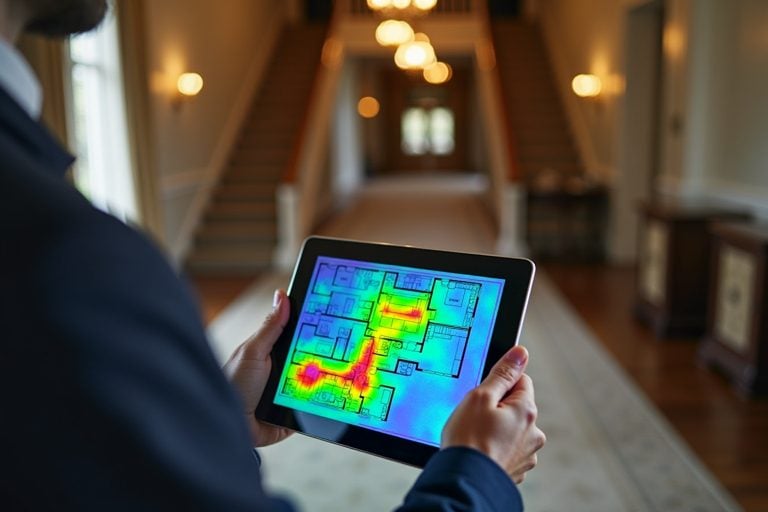 Network Audit and RescueFind out why your wifi fails and what it takes to fix it.
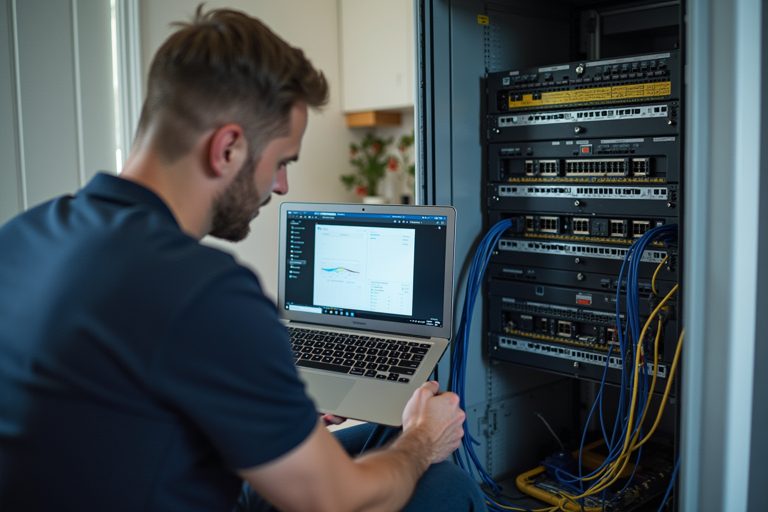 Network Takeover and SupportA network installed by someone else, documented, secured and supported.
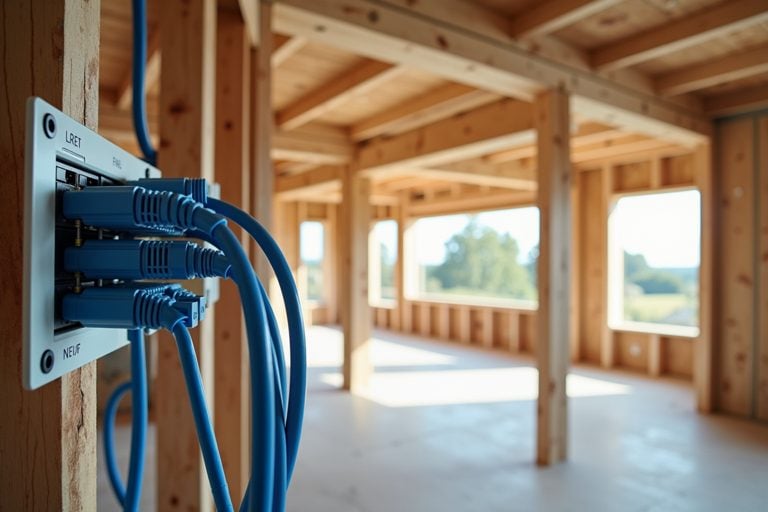 Network Design for New BuildsCabling, comms rooms and access point positions planned before the walls close.
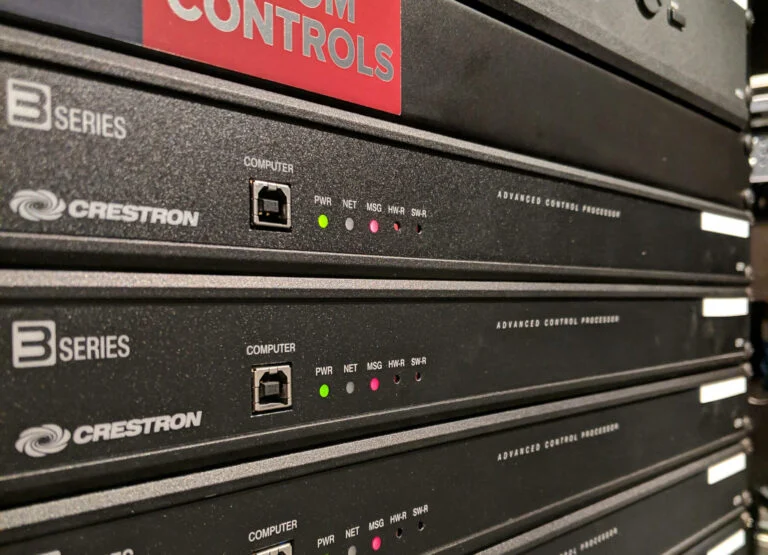 Aftercare and MaintenanceOngoing support for the whole smart home, from first brief to long-term care.
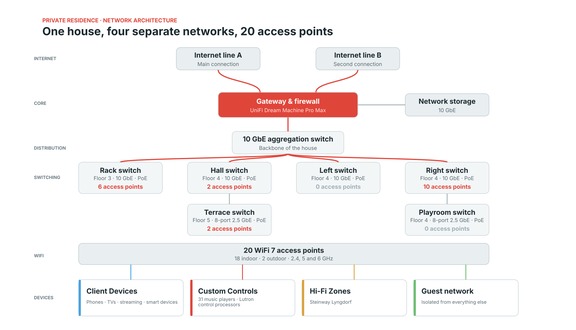 Private Residence UniFi Network20 WiFi 7 access points and a 10 GbE backbone over three floors.
Resilience: Internet That Does Not Drop
Where we have designed a multi-WAN network combining fibre, leased line, 4G or 5G and satellite connections, we monitor each connection as well as the failover between them. If the main line fails and the backup takes over, we know at once, and the household usually does not. Remote control of PoE ports lets us restart a failed device without anyone attending, and we can advise on battery backup for the network core so that cameras, door entry and connectivity ride through a power interruption.
We also watch the quality of each connection, not only whether it is up. A line that is connected but dropping packets or running slowly causes more daily frustration than one that fails outright, and the platform’s history shows how each connection has performed, so any conversation with a provider rests on evidence. Where a generator or a staged restart matters, the order in which equipment returns after a power failure is planned as well, so that the network core is running before the systems that depend on it and the household finds the house working rather than waiting for things to come back one at a time.
One Team for the Network and Everything on It
Many faults that look like device faults are network faults, and the reverse. When the team that designed the network also supports the Crestron, Lutron, audio, cinema and security systems that depend on it, the question is never whose problem it is, only what is wrong. We can see whether a controller is offline because of a switch port, whether a streaming fault is congestion or a source, and whether a camera has failed or simply lost power. Managed network care sits alongside our aftercare and maintenance for the wider home and our Crestron maintenance and support.
This matters most at the moment of a fault. A house whose network was installed by one firm, its control system by another and its security system by a third has three companies, each able to show that its own equipment is working. With one team, we look at the whole path from the touch panel or camera, through the switch port and the VLAN it sits on, to the controller or recorder at the other end, and correct the cause rather than the symptom. Changes are made with the full picture in mind: a new access point, a firmware update or a new VLAN is planned knowing which systems it touches, so that a change that helps one part of the house does not quietly break another.
Second Homes and Properties That Stand Empty
Chalets, London houses, Dubai villas and country houses are often empty for weeks, and a network failure in an empty house stays invisible until someone arrives. With remote monitoring we know about a router that has locked up, a power cut that has taken down the network core or a camera that has gone offline, and we can often restore service before an arrival, a rental guest or a housekeeper finds the problem. Where the platform allows, one management view can cover several properties. Our chalet wifi and network service is designed around exactly this pattern.
Absence changes what a network has to do. With nobody on site to notice, equipment that a household would ordinarily restart by hand must recover by itself or be recovered remotely, and the alerts that matter must reach someone who will act on them. We set up monitoring so that the network, the internet connections and the devices that matter in an empty house, such as cameras, door entry and heating controls, are each watched for what they need, and we agree who is told and how. A check of the network and the systems on it before an arrival means a family or their guests walk into a house where the wifi, the music and the controls already work. For properties that are let, the same approach keeps guest access separate from the owner’s systems.
How It Begins
For networks we install, managed care is part of the design from the first day. For networks installed by others, we begin with a review, set out in our network audit and rescue and network takeover services, and bring the network under management once it is documented and sound. The scope and terms of the service are agreed for each property.
Our review looks at the cabling, the cabinets, the switching and wireless layers, the internet connections and the way the network is segmented, and records what it finds: topology, VLANs and addressing, an inventory of equipment with its firmware status, and cabinet and patching layouts. Anything that stands in the way of reliable management, such as unmanaged switches, consumer access points or an improvised link to an outbuilding, is set out clearly and corrected before monitoring begins, because monitoring a weak network produces alerts rather than reliability. Once the network is sound, it is enrolled in monitoring, administrator access is set up for our engineers, and the alerts and escalation arrangements are agreed with you or your property manager.
Home Wi-Fi and Networking → · Network Takeover → · Arrange a survey →
Managed Home Network FAQs
- What does managed home network monitoring include?
Real-time visibility of access points, switches, gateways, PoE ports and internet connections, alerts when equipment goes offline or a backup connection takes over, scheduled firmware updates with configuration backups, wireless performance reviews, security and access management, and remote changes and additions. The scope and terms are agreed for each property. - Do you need to visit the property to fix problems?
Not usually. Most issues are diagnosed and resolved remotely, including restarting a PoE port, correcting a configuration or applying an update. Where equipment has failed or cabling is involved, an engineer attends. - Can you manage a network you did not install?
Yes, after a review. We document the network, check its security and stability, and bring it under management. Our network audit and network takeover services describe how this works. - Which equipment platforms do you manage?
The enterprise platforms we specify: Cisco Meraki, Ruckus, Pakedge and Ubiquiti UniFi. Equipment from other makers is assessed case by case, and we say plainly where consumer-grade equipment cannot be managed to the standard a large property needs. - What happens if the internet connection fails?
Where the network includes a backup connection, such as 4G or 5G alongside fibre, it takes over automatically and we are alerted. Where it does not, we diagnose the fault remotely, work with the provider and can advise on adding a second connection. - How is the household’s privacy protected?
Monitoring is directed at the health, configuration and security of the equipment, not at what the household does online. Administrator access is controlled and removed when it is no longer needed,. - Can you manage the networks of several properties?
Yes. Where the platform supports it, we can give a single management view across a London house, a country estate, an Alpine chalet and an overseas property, so that each is monitored and maintained to the same standard.