

UniFi Installer for Large Homes, Private Estates and Multi-Building Sites
Enterprise UniFi Networks for Complex Properties
Ubiquiti UniFi is one of the most capable network platforms available for a private property, but its reputation depends almost entirely on who designs it. Installed like a consumer mesh kit, it disappoints in the same ways a consumer kit does. Designed as an engineered system, with every access point cabled, switching sized for the load and the house divided into separate networks, it carries a large home and everything in it without anyone noticing it is there. Custom Controls design, install and support UniFi networks for large homes, private estates, multi-building sites and properties with complex requirements, where the network is the foundation for lighting, audio, cinema, security and the family’s own devices.
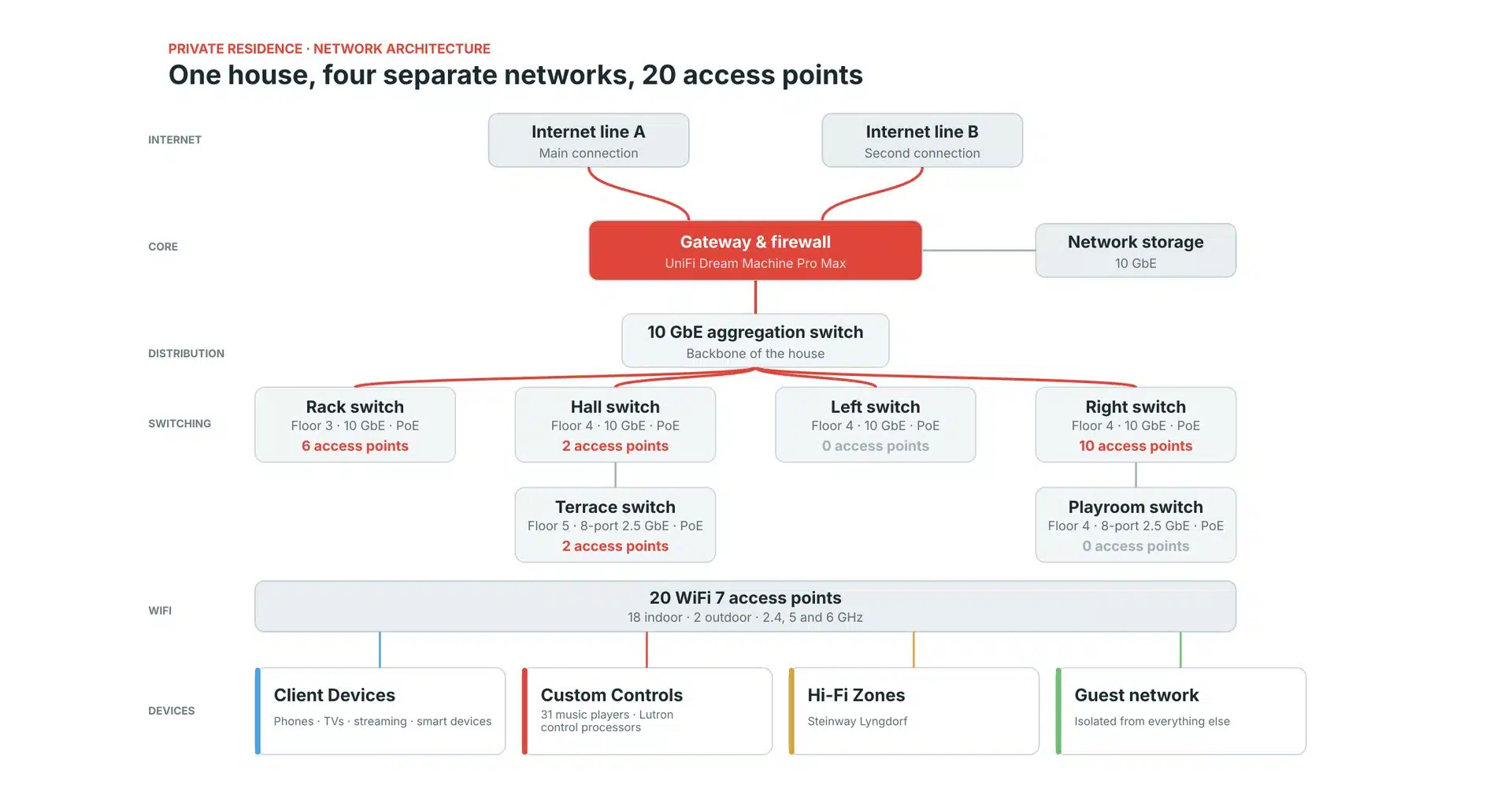
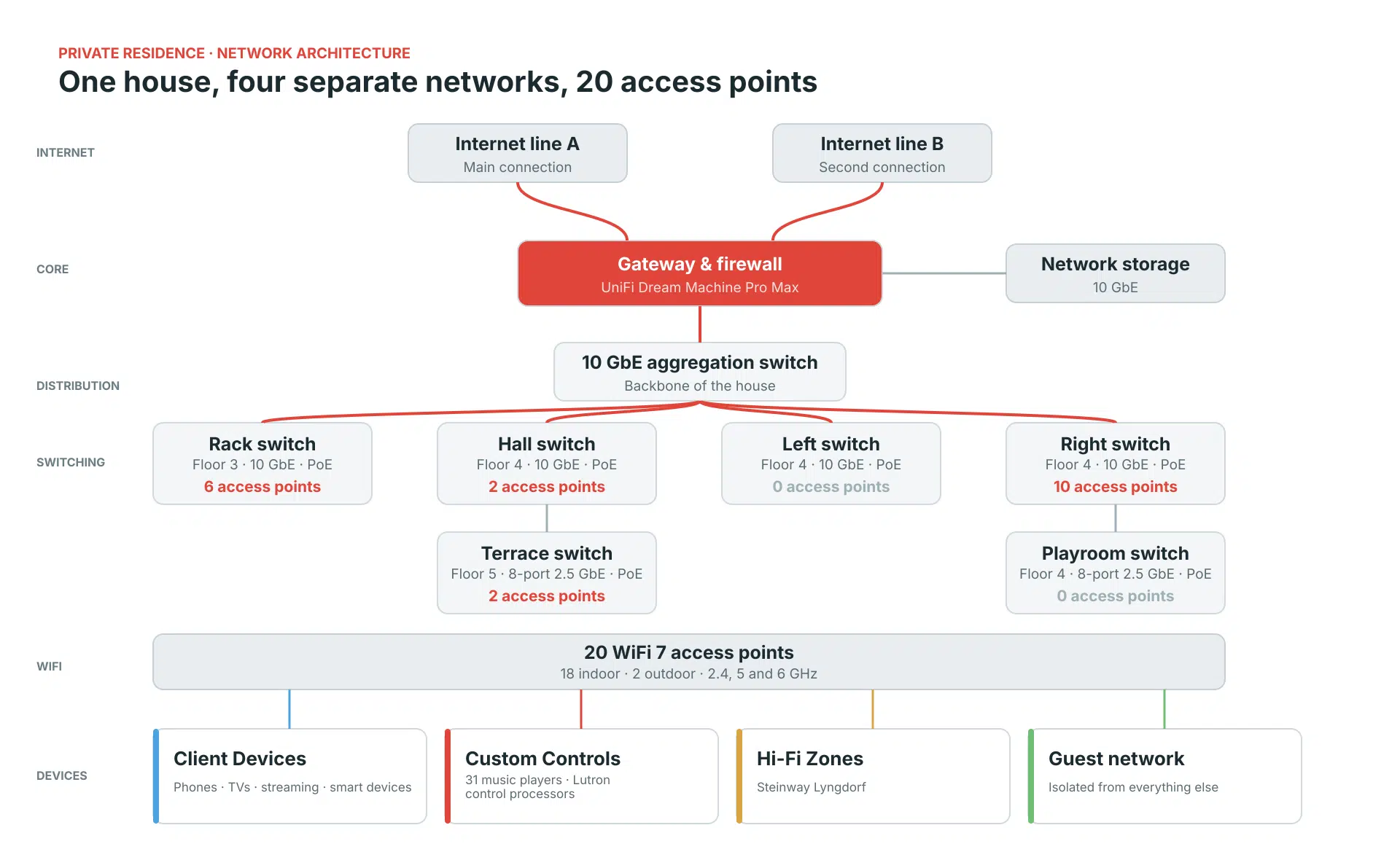
We are not a WiFi shop that also does houses. We are smart home, lighting and cinema integrators, five-time Crestron Integration Award winners, unique in EMEA, and we have designed and supported technology for large properties in London, Cheshire, Surrey, the French Alps and internationally since 1998. That matters for a network, because the systems that depend on it are the ones we install. Our private residence UniFi network install, with 20 WiFi 7 access points, seven switches on a 10 GbE backbone, dual internet and four separate networks, shows what that looks like in practice.
Who We Design UniFi Networks For, and Why UniFi
Our UniFi work, part of our wider home WiFi and network installation service, is concentrated where the network is hardest to get right: large houses with thick masonry, several storeys and basements; private estates with a main house, guest accommodation, staff quarters and outbuildings; chalets and second homes that sit empty for weeks and must keep working; and properties where the network carries a Crestron or Lutron system, dozens of music players, a cinema, cameras and access control as well as the family’s own devices. Size is part of it, but the real test is dependence: the more of the house relies on the network, the more it needs to be engineered rather than assembled. Typical briefs include a new build or major renovation where the network can be designed from first fix, a large home whose WiFi has never worked despite repeated additions of extenders and mesh points, an estate whose network has grown building by building with no single plan, and a property bought with a UniFi system that nobody can now explain. In each case the work starts with understanding what depends on the network and how the property is used, not with a product list.
UniFi suits these properties because it brings gateway, switching, wireless, cameras and door access under one management platform, so a property with hundreds of devices and several buildings is run from a single controller with a single view of its health. Its WiFi 7 access points, multi-gigabit PoE switches and 10 GbE aggregation give the capacity a large home now needs, and its policy engine allows the network to be divided and controlled with the precision normally associated with commercial installations. Firmware is managed centrally, secure remote access through UniFi Teleport allows support without opening ports on the firewall, and where a family has more than one property, UniFi Site Manager gives one view across all of them and Site Magic links the gateways securely, so a London house, a country estate and a chalet can be looked after as one.
UniFi is not the right answer for every property, and we say so. We also specify Cisco Meraki, Ruckus and Pakedge where they suit the brief better, and our comparison of Meraki, Ruckus, Pakedge and UniFi for a large home sets out the differences honestly. What does not change is the design discipline: the platform is chosen for the property, and the property is never squeezed to fit the platform.
How We Design a UniFi Network
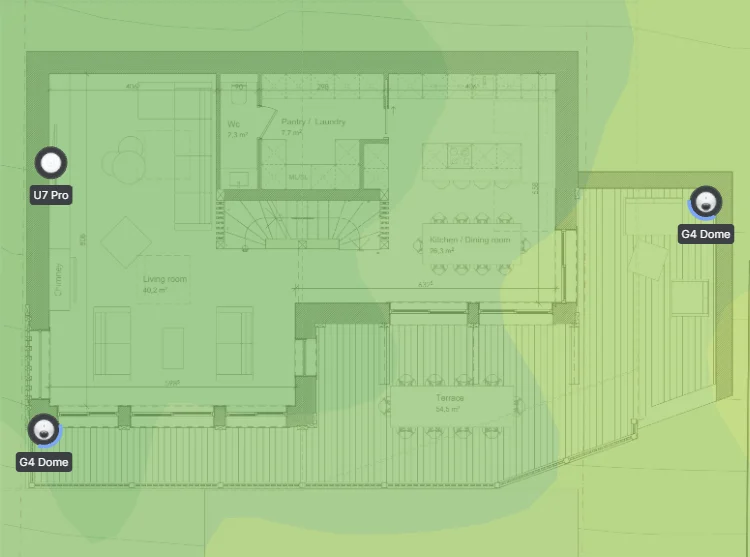
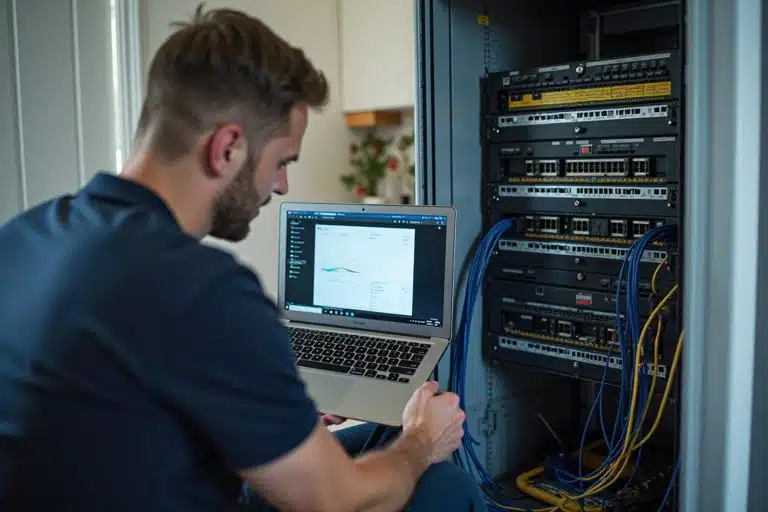
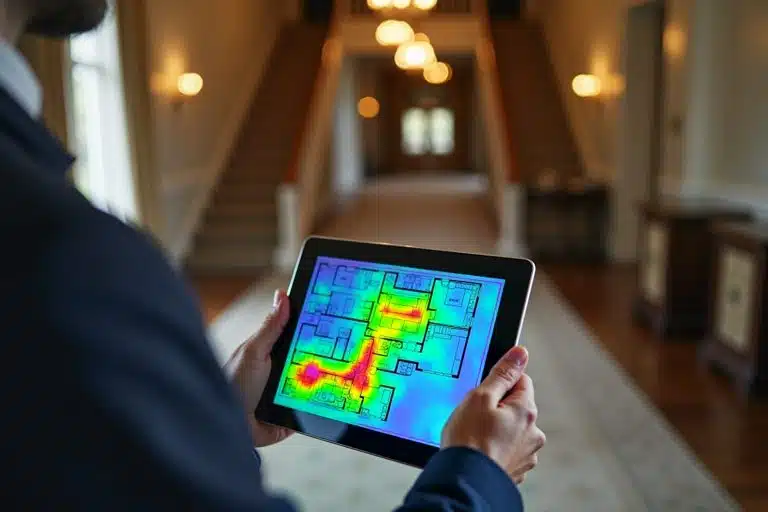
Every project starts with the drawings and a site survey: wall construction, ceiling voids, where people actually spend their time and which outdoor spaces are used. Access points are then placed room by room, with dedicated coverage for terraces, gardens and outbuildings, rather than scattered to fill gaps after the event. Every access point has its own cable back to a PoE switch, so it receives power and a full multi-gigabit data link over one cable and can be power-cycled from the rack, and music players, control processors, televisions and cinema sources are wired too. That wired backhaul is what allows each access point to deliver its full capacity, and it is the single biggest difference between an engineered UniFi network and a mesh.
The switching hierarchy, aggregation links and PoE budget are then sized for the full load of the property, with headroom for growth. On the private residence project, a UniFi Dream Machine Pro Max feeds a central aggregation switch over 10 GbE, which in turn feeds switches serving each zone of the house, and 22 devices are enrolled in PoE auto-recovery so a hung access point restarts itself without a visit. With wired backhaul in place the radios can be planned properly: 2.4 GHz on the three non-overlapping channels, 5 GHz on 80 MHz channels spread across the band and 6 GHz on the 320 MHz channels that WiFi 7 allows. The result is capacity where it is needed and interference kept to a minimum, even in a house with twenty access points.
Estates, Outbuildings and Chalets
An estate is several networks that have to behave as one. The main house, a guest cottage, a pool house and gym, staff accommodation, an estate office, a gatehouse and gates, garages and stables each need their own switching and coverage, joined to the main house by links as reliable as the cabling inside it. We design each building as part of a single UniFi system, with one controller, one set of policies and one view of the whole site, so a guest walking from the house to the pool house stays on the same network and a fault in an outbuilding is visible from the main rack. Fibre in duct is the first choice for the links wherever a trench is possible, because it is immune to weather, interference and line-of-sight problems; where trenching is impractical, across a lawn, a driveway or a listed garden, a point-to-point wireless bridge provides the link, and our guide to fibre in duct or point-to-point wireless between buildings explains how we choose. Multi-building sites also bring more people with different needs, from family and guests to staff, contractors and estate management, so we map the buildings, links, people and systems before anything is specified and document the result, however many buildings the network eventually covers.
Smaller outbuildings and outdoor spaces are where consumer WiFi gives up and an engineered UniFi network earns its place. Outdoor access points cover terraces, gardens and pool areas, and garden rooms, studios and gyms are brought onto the house network properly rather than with a repeater on a windowsill, as our guide to garden room WiFi with UniFi shows. In the Alps, chalets add stone and timber construction, owners who are away for weeks at a time, guests and rental use, and internet connections that need a backup, and our chalet WiFi and network installation service applies the same design discipline across the French Alps, with remote monitoring so the network keeps working while the chalet is empty.
Separate Networks for Family, Guests, Staff and Control Systems
A large property should never run on one flat network. UniFi divides a single physical network into separate VLANs, each with its own address range and its own rules, and its firewall policies decide exactly which devices may reach which. On a typical estate we separate the family’s own devices, guests, staff and the estate office, cameras and access control, and the control network that carries lighting, audio and automation, so a problem on one cannot spread to the others. Segmentation can also be generous where it should be: in the private residence project, guests can control the music players in their own suite through a single firewall rule referencing a named device list, without gaining access to anything else, and staff can be given what they need without seeing the family’s devices. Our guide to VLAN and network zone design for large homes and estates covers the approach in detail.
Because we install the systems that sit on the network, we design the network around them. Crestron processors and touchpanels, Lutron lighting control, multi-room music players and hi-fi zones use very little bandwidth, but they rely on multicast and broadcast discovery and need an instant, predictable response every time a keypad or touchpanel is pressed. Placing them on a dedicated control network, wired wherever possible, removes the most common causes of dropouts and sluggish control. On the private residence project, 31 wired music players and the Lutron processors share a network of their own and ten Steinway Lyngdorf hi-fi devices have another, so a family download or a phone update can never compete with a hi-fi stream. When the control system and the network beneath it are designed and supported by one team there is no argument over where a fault lies, and the multi-room audio, lighting and cinema simply work.
Resilience, Monitoring and Ongoing Support
A property that depends on its network should not have a single point of failure at the front door. UniFi gateways support two internet connections on separate WAN ports, and we design dual-provider connections so the loss of one line does not leave the house offline, with uptime, latency, packet loss and utilisation recorded for each. For chalets and rural estates, where fixed lines can be slow to repair, a cellular or satellite connection can be added as a further failover path, as our guide to chalet internet failover with fibre, 5G and Starlink explains. Inside the property, PoE auto-recovery restarts any device that stops responding, and a saved, known-good configuration means any piece of equipment can be replaced and restored quickly.
A network of this size is not finished at installation. UniFi gives continuous visibility of every gateway, switch, access point and client, and secure remote access through Teleport allows faults to be diagnosed, channels adjusted and firmware updated without a visit and without exposing anything in the house to the internet. Our managed home network service turns that visibility into a routine of monitoring, staged firmware updates, periodic health reviews and remote support, with site visits where they are needed, so rising retry rates, a crowded channel or a failing link are corrected quietly before anyone in the household notices. For families with several properties, one management view covers them all, and the same team looks after the network and the smart home systems that depend on it.
New Builds, Renovations and Existing UniFi Networks
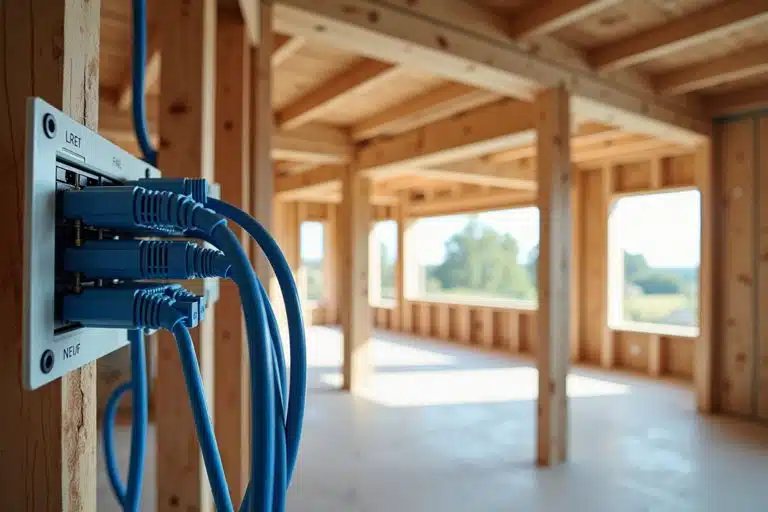
The network is the one system in a large house that cannot be added properly once the walls are closed, so the best UniFi networks are planned with the architect and contractor at first fix. Access point positions, cable routes, rack and cabinet locations, power, cooling and the links to outbuildings are agreed on the drawings, alongside the lighting, audio and control systems that will depend on them. Our network design for new builds and renovations service covers the process, our network checklist for architects at first fix sets out what needs to be settled before the plaster goes on, and at handover the household receives a complete record of the network, as described in our guide to what a network handover pack should contain.
Many of the UniFi networks we are asked to look at were installed by someone else: an installer who has closed or stopped responding, an electrician or builder, or a technically minded member of the household. The equipment is often perfectly good, but the management account is registered to someone no longer involved, nothing has been documented and the configuration has grown by trial and error. Our network takeover and support service transfers ownership of the UniFi account, documents the topology and VLANs, updates firmware, closes unnecessary remote access and corrects the segmentation, and where the cause of poor WiFi is not obvious a network audit finds it first. We keep whatever is sound rather than replacing equipment for the sake of it, and to discuss a new or existing network, get in touch.
UniFi Installation FAQs
- Is UniFi good enough for a large luxury home?
Yes, when it is designed properly. The same UniFi hardware that struggles when it is installed like a consumer mesh kit performs very well when every access point is cabled, the switching is sized for the load, the radios are planned room by room and the network is divided into separate VLANs. Our private residence installation runs 20 WiFi 7 access points and seven switches on a 10 GbE backbone, and its controller reports a 100 per cent WiFi connectivity success rate. - Can UniFi cover several buildings on one estate?
Yes. Outbuildings such as a guest cottage, pool house, gym, staff accommodation or gatehouse are linked to the main house by fibre in duct where a trench is possible, or by a point-to-point wireless bridge where it is not, and each building has its own switching. All of it is managed from the same UniFi controller, so the whole estate is one network with one set of policies. - Do you take over UniFi networks installed by someone else?
Yes. The UniFi management account is often still held by the previous installer, so we work with you and them to transfer ownership, then document the network, update firmware, close unnecessary remote access, correct the segmentation and bring it under monitoring. Where the equipment is sound we keep it. - Can guests, staff and cameras be kept separate from the family network?
Yes. Each group is placed on its own VLAN with its own address range, and firewall policies decide exactly which devices may reach which. Specific exceptions can be granted deliberately, for example letting guests control the music in their own suite without seeing anything else in the house. - Will UniFi work with Crestron, Lutron and multi-room audio?
Yes. On our projects the control processors, lighting processors and music players sit on a dedicated control network, separate from phones and laptops, which keeps their discovery traffic predictable and their response instant. In the private residence case study, 31 wired music players and the Lutron processors share a network of their own and the Steinway Lyngdorf hi-fi zones have another. - Can you monitor and support the network remotely?
Yes. UniFi gives a continuous view of every gateway, switch, access point and connected device, and secure remote access through UniFi Teleport means faults can be diagnosed and updates managed without opening ports on the firewall or visiting the house. Networks can be placed under our managed home network service for ongoing monitoring and support.