Crestron Touchpanels and Remote Controls
The Crestron Range of Touchpanels and Remote Controls Explained
Crestron touchpanels and remote controls are the centre point of any Crestron Smart Home — the choice of interface significantly affects how a household actually interacts with their system day to day. We’ve laid out the current range below and explored each product in detail. The range is genuinely extensive and highly customisable, with a panel suited to almost any technical need and interior design requirement.
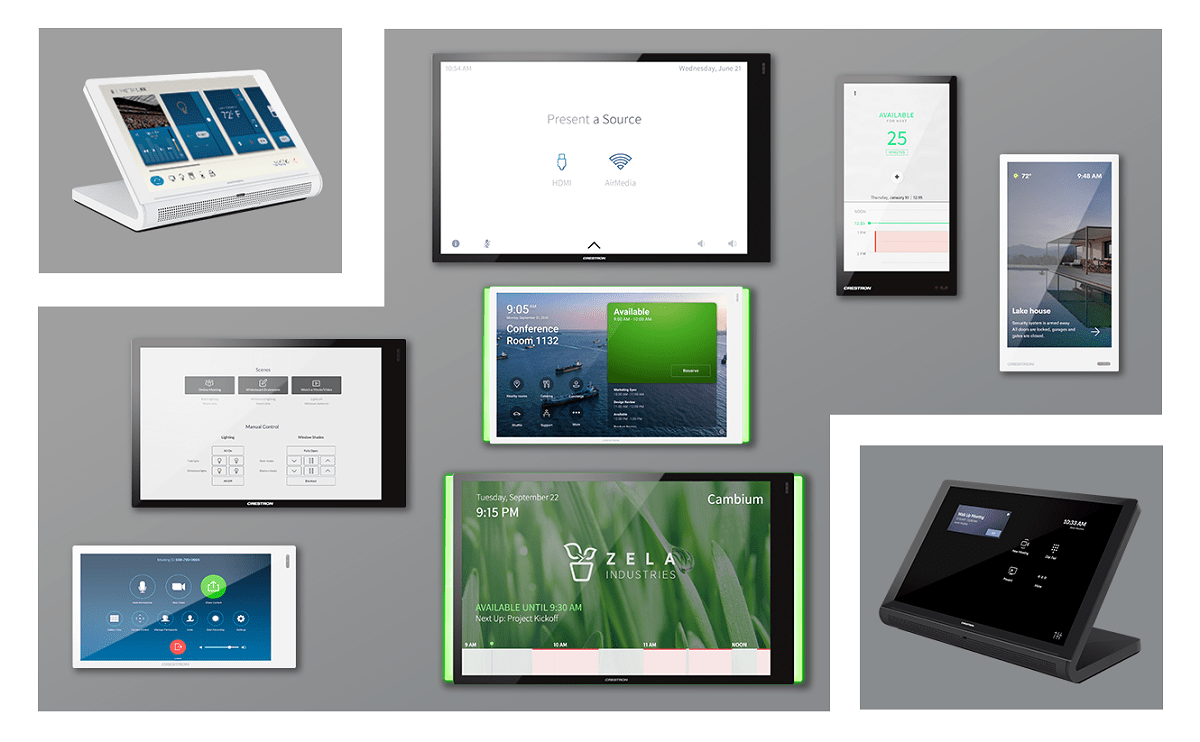
Crestron TSW Wall Panels
The TSW range — pictured above — remains the centrepiece of any Crestron Home Automation system; every project we complete has at least one installed somewhere in the home. The current “R” series of touchpanels, built specifically for Crestron Home OS, is genuinely fast and flexible — from compact 5″ portrait panels through to 10″ landscape panels, with wall or tabletop mounting available. A wide range of connectivity options lets us connect via Wi-Fi or hardwired Ethernet, and neat touches such as proximity sensors and integrated PinPoint beacons enable some genuinely useful automated behaviours.
Integrated microphones work alongside built-in SIP intercom functionality, allowing each panel to become an intercom station in its own right — capable of speaking to external gates and doors, or providing room-to-room intercom inside the home. When systems are programmed with personal profiles, this opens up the ability to call a specific person directly, wherever they happen to be in the home. Panels integrate with either Crestron Home or a fully bespoke Crestron Custom programming solution. As a general rule, the larger the touchpanel, the easier it is to use, since more information can be shown per page and functionality is easier to locate.
The current Crestron Home OS touchpanel range consists of:
- TSW-570PR — 5″ Touchpanel, portrait format
- TSW-770R — 7″ Touchpanel, landscape, wall mount
- TSW-1070R — 10.1″ Touchpanel, landscape, wall mount
- UC-MM30-R — Tabletop conference and control device for Crestron Home OS
Older TSW-x60 and TS-1542 series panels remain supported on legacy Crestron Pyng OS 1 systems but are not used on new Crestron Home OS installations — if you have an older panel and are unsure which platform your system runs, we’re happy to advise during a survey.
Beyond wall and tabletop mounts, a number of additional mounting options exist for glass surfaces, rack mounting and multi-surface requirements.
Our Crestron Services
As an experienced UK Crestron dealer, we offer a full range of Crestron services. Click an icon below for more details:

Home
Automation

Lighting
Controls

Audio Video

Programming

Renewable Energy

Support
Crestron Remote Controls
A traditional-looking remote control can simplify control of a home in a way no other interface quite manages. Any client, regardless of age or technical confidence, knows how to use a TV remote — the fact that pressing “TV” instructs the entire automation system to carry out a sequence of actions is irrelevant to them. In a typical system, pressing “TV” might actually trigger the display to switch on at HDMI 1, the satellite box to power up, the amplifier to switch to Input 1, and the video matrix to route Input 1 to the correct output — all in sequence, with feedback from each piece of equipment confirming the step has worked. These steps are entirely transparent to the user and genuinely reliable: a Crestron system sends a command — to an amplifier, say, “power on” — waits for confirmation it’s actually powered on, then sends the next command and waits for that confirmation in turn. If confirmation doesn’t arrive, the system can retry, or attempt to power-cycle the equipment automatically.
- The Crestron HR-310
- The Crestron HR-150
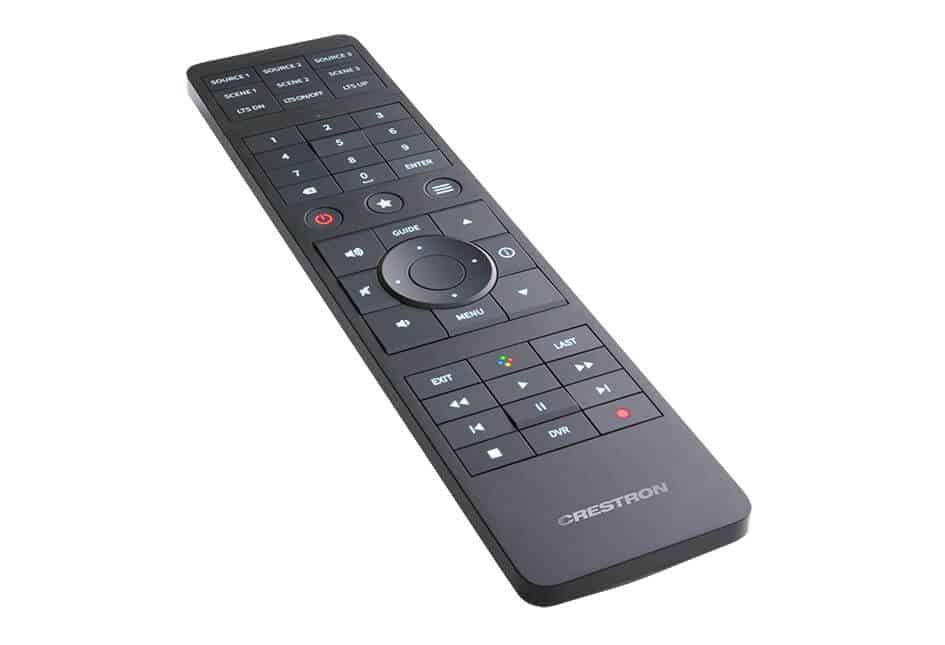
The HR-310 is our pick of the current Crestron remote range — changeable buttons on the top of the remote can be configured for source selection, and its compact size makes it genuinely comfortable to hold and use day to day. The remote is capable of considerably more than just AV control: pressing a lighting button can toggle a specific scene on and off for that room, and pressing the HVAC button can bring on air conditioning or heating — whichever is needed to reach the temperature setpoint already configured for that room. It’s a genuinely capable remote behind a deceptively simple exterior.
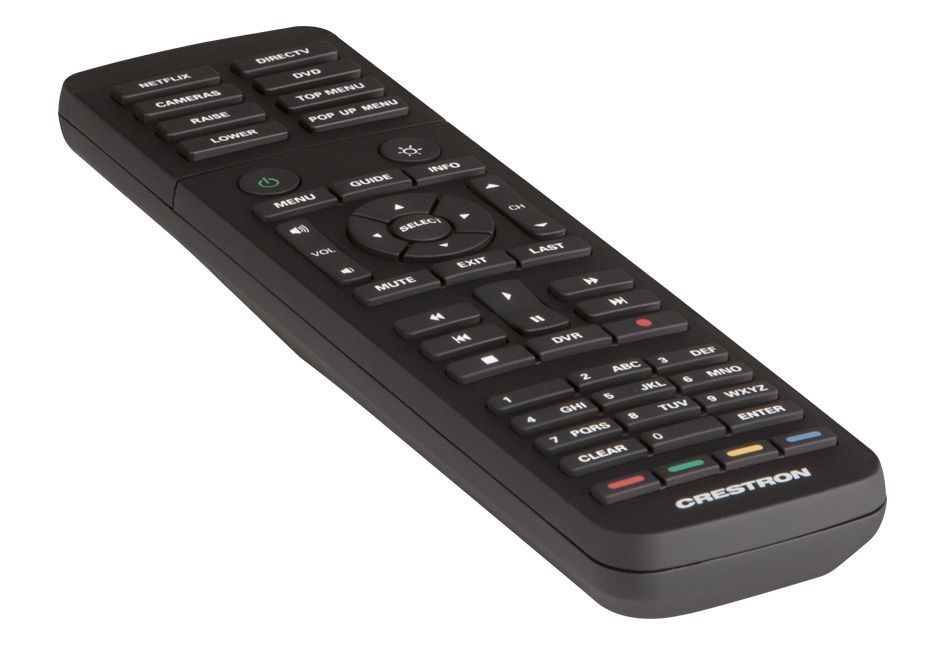
The HR-150 is the simpler sibling to the HR-310, and we often specify it for secondary rooms or annexe spaces where the system needs to be usable by guests or less technically confident household members. From the user’s perspective, it behaves exactly like any conventional TV remote — press TV, the TV comes on. It’s a genuinely effective way to make the automation running underneath feel completely invisible, and considerably less daunting than some of the more capable interfaces above.
Crestron iPad and iPhone Integration
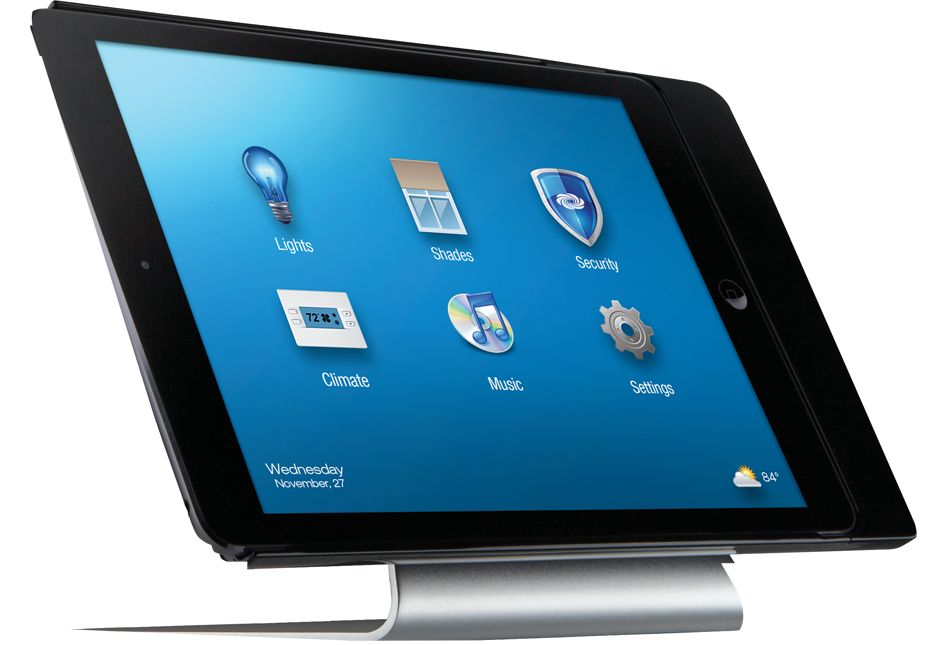
A common request from clients is to use iPads and iPhones to control their Crestron Smart Home. On the face of it, the idea is sound — iPads are widely available, don’t need to be the latest model to work well, and offer a long battery life and good wireless range. There are a few genuine downsides, though. The primary issue is that the app needs to be open and running, which can introduce a frustrating delay before the interface responds. The second is that an iPad gets used for many other things, so it’s frequently not where it was left — it’s in a child’s bedroom, down the side of a bed, somewhere else entirely. There are ways to reduce these issues — anchoring the iPad in a dock and running it in kiosk mode so the app is always open — but these remain workarounds for a solution that isn’t quite optimal. The remotes above cost roughly the same as an iPad, and because they only do one thing, they tend to do it very well. We therefore tend to limit iPad and iPhone integration to functionality used less frequently, particularly for clients who want control while away from home.
All of these control surfaces can be incorporated into a full Crestron Home Automation system or the streamlined Crestron Home platform.
Frequently Asked Questions — Crestron Touchpanels and Remotes
What is the difference between Crestron’s TSW touchpanels and HR remotes?
TSW touchpanels are wall- or tabletop-mounted screens offering the most detailed control, including intercom and room scheduling features. HR remotes are handheld controllers built for simplicity, ideal for everyday AV and scene control without needing a fixed interface.
Can an iPad replace a dedicated Crestron touchpanel or remote?
It can, but with trade-offs — the app needs to be open, and a shared household iPad is frequently not where it was left. We generally recommend a dedicated touchpanel or remote for frequently used rooms and limit iPad integration to occasional or away-from-home use.
Which Crestron remote is best for a guest room or secondary space?
The HR-150 is our usual recommendation — it behaves exactly like a conventional TV remote from the user’s perspective, making it easy for guests or less technically confident household members to use without any explanation.
Crestron Home Automation → · Crestron Home: The Complete Guide → · Contact us to discuss your project →