
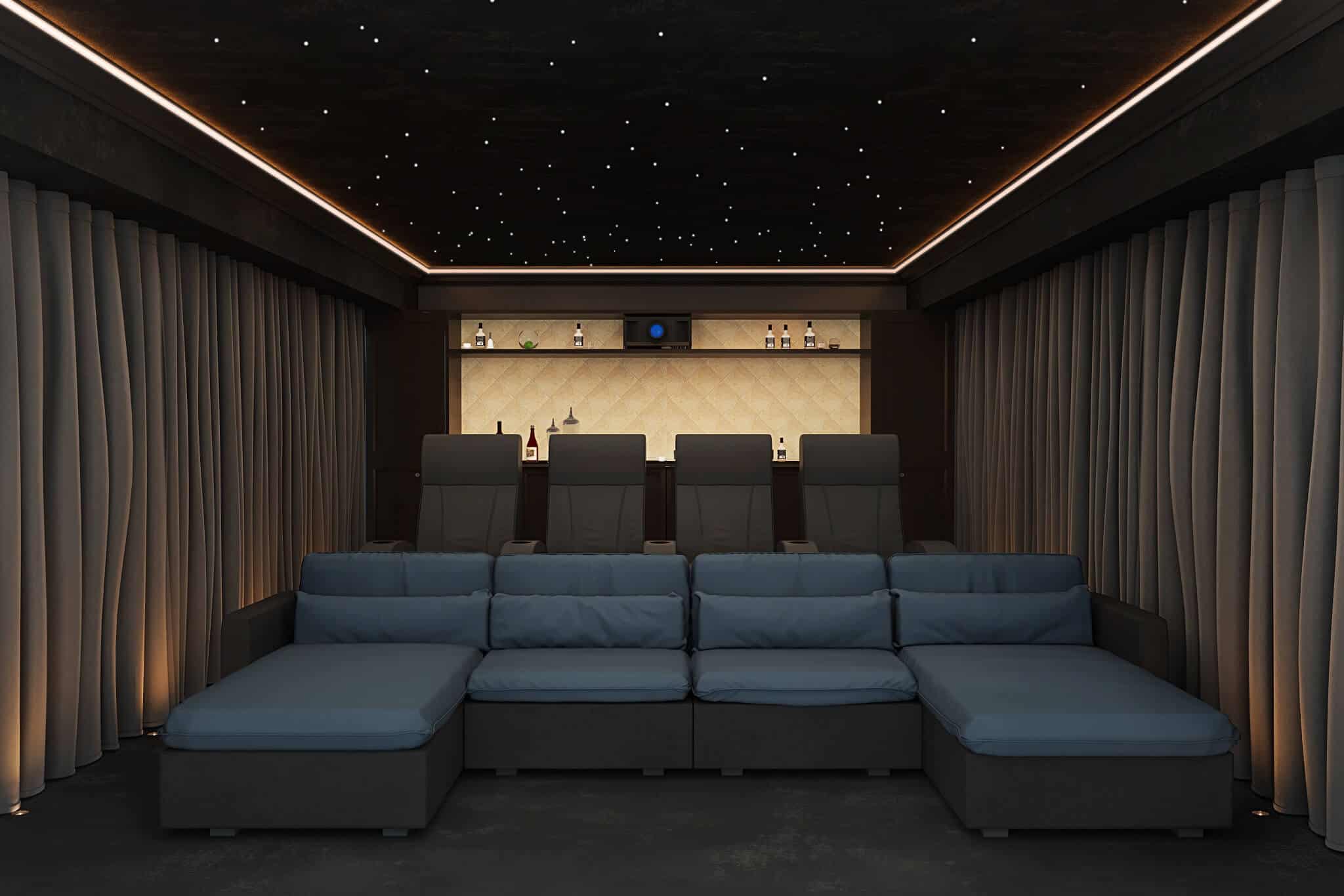
Home Cinema Calibration

Home Cinema Audio & Video Calibration
Ensuring Home Cinema Room’s Perform
Professional audio and video calibration for every system we install — and for existing systems installed by others. Using Trinnov Altitude, Dirac Live, ISF video calibration and professional acoustic measurement tools. London, Cheshire and worldwide.
The Step Most Installers Skip
There is a widely held belief in home cinema that the quality of a system is determined by the hardware in it. Buy a sufficiently expensive projector, amplifier and speaker package, and the result will be outstanding. This belief is wrong — or rather, it is incomplete. Hardware quality sets the ceiling of what a system can achieve. Calibration determines how close to that ceiling it actually performs.
A Dolby Atmos speaker system in a domestic room, switched on and set to factory defaults, will not sound like what its designers intended. The room — its dimensions, its surfaces, its furnishings — modifies every sound that enters it, adding room modes, early reflections and reverberation that were not present in the recording. A £200 flat-pack speaker and a £20,000 Artcoustic cinema array both suffer from the same acoustic environment. The difference is that the Artcoustic array, properly calibrated to the specific room it is in, can be corrected to perform with extraordinary precision. The same array, uncalibrated, will underperform.
We calibrate every cinema system we install. It is not an optional extra or a premium service level — it is a mandatory part of every installation, because we are not willing to leave a system performing below what it is capable of.

Design

Calibration

Treatments

Seating

Theatres

Cinema Ideas
Audio Calibration
What Audio Calibration Involves
Audio calibration for a home cinema system covers four areas: speaker levels, speaker distances, crossover frequencies and equalisation. Done correctly, it compensates for the specific acoustic characteristics of the room — correcting frequency response anomalies, aligning time arrival of sound from all channels at the listening position, and setting bass management to distribute low-frequency content appropriately between subwoofers and satellite speakers.
Speaker levels — each speaker in the array should arrive at the listening position at the same relative level, regardless of its physical distance or the room’s effect on its output. Incorrect levels destroy the phantom imaging and surround envelopment that a properly configured Atmos system creates.
Speaker distances — the processor delays each channel to account for the physical distance from speaker to listening position. This alignment ensures that sound from all channels arrives simultaneously, preserving the coherence of the surround field. Errors of even a few centimetres in this measurement degrade imaging.
Crossover frequencies — the frequency at which each speaker hands off low-frequency content to the subwoofer system. Setting crossovers correctly requires knowing the low-frequency capability of each speaker in the room, not just its nominal specification. A speaker that performs to 80Hz in an anechoic chamber may roll off at 100Hz in a small room with nearby boundary reinforcement. We measure, not assume.
Equalisation — room EQ corrects for the frequency response anomalies caused by the acoustic interaction between the speaker and the room. We measure the frequency response at multiple listening positions using professional measurement microphones, identify the deviations from a flat target curve, and apply corrections within the processor’s EQ system. The goal is not a perfectly flat response — it is a response that sounds correct and natural at all listening positions.
Dolby Atmos Calibration
Atmos systems add height channels — typically four to fourteen ceiling or overhead speakers depending on the room configuration — which require the same levels, distance and EQ calibration as the main channels, with the additional consideration of their three-dimensional position in the room. Atmos object-based audio places sounds at specific three-dimensional coordinates; incorrect calibration of the height layer collapses the three-dimensional sound field into a conventional horizontal surround experience and loses the primary benefit of Atmos entirely.
For large Atmos systems — particularly at 7.2.4, 9.2.6 or IMAX Enhanced 13.2.14 configurations — calibration requires time, a systematic approach and an understanding of how Atmos rendering algorithms use the speaker layout information to place objects in three-dimensional space. We calibrate these systems using professional measurement software, iterating the process until the result is correct at all seating positions.
Trinnov Altitude Calibration
The Trinnov Altitude processor is the reference standard for home cinema audio processing and calibration, and its calibration system is unlike anything else available at this level.
Trinnov uses a proprietary 3D microphone — a tetrahedral array of four capsules — to measure not just the frequency response of each speaker at the listening position but its precise three-dimensional position in the room. This information is used to apply Trinnov’s Optimizer algorithm — a calibration system that corrects amplitude, time and phase for each channel simultaneously, and that can perform speaker remapping: adjusting the rendering to account for speakers that are not in their theoretically ideal positions.
The practical significance of speaker remapping is considerable. In most rooms, at least some of the speaker positions are compromises — a rear surround that cannot be placed exactly where the specification requires, a height speaker at a non-standard elevation angle. Trinnov’s remapping corrects for these deviations in the processor rather than accepting them as permanent compromises. The result is a more accurate and more consistent sound field than any other system can produce.
A full Trinnov Altitude calibration for a large system takes a full working day. We do not compress this process. The Trinnov system rewards patience — each iteration of the measurement and correction cycle produces improvements that accumulate significantly over the course of the session.
Dirac Live Calibration
Dirac Live is a room correction system available in a range of processors and AVRs — including Anthem, StormAudio and a growing number of consumer-grade receivers. It uses a series of swept-tone measurements at multiple positions to characterise the room’s impulse response and applies corrections using a proprietary linear phase filter algorithm that avoids the pre-ringing artefacts associated with conventional minimum-phase EQ approaches.
Dirac Live Bass Control — available on supported hardware — extends the correction to the bass frequencies below the processor’s crossover, where room modes cause the most significant response irregularities. We apply Dirac Bass Control as standard on installations where it is available, as the improvement in low-frequency accuracy and consistency across seating positions is consistently significant.
Anthem Room Correction (ARC)
Anthem‘s ARC Genesis calibration system is our preferred solution for installations using Anthem AVM or MRX processors. ARC Genesis uses a professional measurement microphone and a Windows-based application to measure and correct frequency response across multiple seating positions, with target curve customisation that allows the correction to be tailored to room size and client preference. Anthem’s processing is among the best available below the Trinnov tier, and ARC Genesis extracts its full potential.
Hi-Fi and Two-Channel Calibration
For clients with high-end two-channel audio systems — whether standalone hi-fi or part of a whole-home audio installation — calibration involves different but equally important considerations. Speaker placement relative to room boundaries, toe-in angle, listening position relative to the stereo triangle, and the acoustic treatment of the first reflection points all have a profound effect on soundstage width and depth, imaging precision and tonal balance. We approach two-channel calibration with the same rigour we bring to cinema — measurement first, adjustment second, listening throughout. A strategically placed acoustic panel, or a change in speaker toe-in of a few degrees, can transform the performance of a system that previously sounded technically correct but emotionally flat.
Video Calibration
Video calibration is the counterpart to audio calibration — a systematic process of measuring and adjusting a display or projector to ensure it reproduces an accurate image rather than the manufacturer’s default, which is optimised for showroom brightness and rarely appropriate for home cinema use.
Why Video Calibration Matters
A projector or television leaving the factory is typically set with elevated brightness, artificially boosted colour saturation and a colour temperature of 6500K or higher — settings that look vivid under harsh showroom lighting but that produce blown-out highlights, inaccurate colour rendering and excessive eye fatigue in a dark room. More importantly, they do not reproduce the image as the director, colourist and post-production team intended when they graded the film.
ISF-standard video calibration adjusts the display to the correct reference settings: colour temperature at D65 (6500K), colour gamut tracking to the Rec.709 or DCI-P3 colour space as appropriate to the source, gamma tracking at 2.2 or 2.4 depending on room ambient light level, and black level set correctly for the specific room. The result is an image that reproduces colours accurately, preserves detail in both highlights and shadows, and is significantly less fatiguing to watch over a two-hour film.
What Video Calibration Covers
Colour temperature and white balance — setting the two-point or multi-point white balance to achieve D65 across the full brightness range of the display. Most displays have significant deviations from D65 at factory settings, particularly in the shadow and highlight regions.
Colour management system (CMS) — adjusting the hue, saturation and luminance of each primary and secondary colour to track correctly within the target colour space. Incorrect colour tracking produces subtle but persistent inaccuracies across the entire image — skin tones that are slightly orange, greens that are too yellow, blues that are oversaturated.
Gamma and tone mapping — ensuring the relationship between the signal level and the display’s output brightness is correct. Incorrect gamma makes the image look either washed-out or crushed, and makes shadow detail either too bright or invisible.
HDR calibration — for HDR-capable projectors and displays, calibrating the tone mapping to the specific peak brightness capability of the display and the viewing environment. HDR calibration is more complex than SDR and requires understanding the interaction between the mastering metadata of the source, the display’s peak brightness and the room’s ambient light level.
Lens memory and aspect ratio — for projectors with motorised lenses, calibrating and saving lens memory positions for different aspect ratios (2.35:1 Scope content versus 1.78:1 standard content), ensuring the image fills the screen correctly in each format without requiring manual adjustment.
Tools We Use
We use professional spectrophotometers — the X-Rite i1Display Pro and Klein K-10A are the industry references — alongside CalMAN calibration software for measurement and correction. These tools measure colour accuracy to a standard that is not achievable with consumer-grade equipment, and they provide a documented record of the display’s performance before and after calibration that can be referenced for future service visits.
Calibration for Existing Systems
We offer standalone calibration services for home cinema systems installed by other companies — audio calibration, video calibration, or both. Systems that have never been professionally calibrated, or that were calibrated when installed but have drifted over time, can be transformed by a calibration visit.
Common symptoms of an uncalibrated or poorly calibrated system: dialogue that is hard to hear clearly against the score and effects, bass that is either booming or absent, a surround sound field that does not envelop convincingly, an image that looks harsh or over-bright, colours that do not look natural on skin tones, and a general sense that the system sounds or looks impressive on demonstration material but unconvincing on real programme content.
If any of these describes your current system, contact us to arrange a calibration visit. We will assess the system, discuss what calibration can achieve and provide a fixed cost for the work before we begin.
How Calibration Fits Into Our Process
Calibration is Stage 6 of our seven-stage home cinema installation process — preceded by consultation, acoustic design, 3D renders, construction management and equipment installation. It is the stage at which all the preceding work becomes audible and visible: the room design, the speaker layout, the acoustic treatment and the equipment specification all converge at the calibration session to produce the result the project was designed for.
The relationship between acoustic design and calibration is important to understand. Calibration corrects the acoustic behaviour of the room as the measurement microphone hears it — but it can only work within the limits of what the room allows. A well-designed room with appropriate acoustic treatment reaches calibration in better condition than a poor room, and the calibration result is better because of it. This is why we treat acoustic design as the foundation of every cinema project, and calibration as its completion.
Read more about our acoustic design process →
Frequently Asked Questions
What is home cinema calibration?
Calibration is the process of measuring and adjusting a cinema system’s audio and video performance to the specific room it is in. Audio calibration corrects speaker levels, distances, crossovers and equalisation. Video calibration adjusts the display for accurate colour, gamma and brightness. An uncalibrated system performs below its potential regardless of hardware quality — calibration is how a great system becomes what it was designed to be.
What is Trinnov calibration?
Trinnov Altitude is the reference standard home cinema processor. Its calibration system uses a proprietary 3D microphone to measure the precise three-dimensional position of every speaker, applying corrections — including speaker remapping for non-ideal positions — that go beyond what any other system achieves. We are experienced Trinnov installers and calibrators and use the full Optimizer algorithm on every Trinnov installation.
What is ISF video calibration?
ISF (Imaging Science Foundation) calibration is a professional video calibration standard using spectrophotometer measurements and CalMAN software to set a display or projector to reference accuracy — correct colour temperature (D65), accurate colour gamut, correct gamma and appropriate black level. The result is an image that reproduces the director’s intent rather than a manufacturer’s default.
Can you calibrate a system not installed by Custom Controls?
Yes. We offer standalone calibration for existing systems regardless of who installed them. Contact us to discuss your system.
How long does calibration take?
A full audio and video calibration for a Dolby Atmos system typically takes four to eight hours. Trinnov Altitude calibration for a large system can take a full day. Video calibration adds two to three hours. We do not compress the process — calibration rewards patience.