Smart Home: The Complete Guide to Modern Home Automation
From Lighting Control to Complete Automation — How to Design a Smart Home That Works for Your Lifestyle
We’ve spent 25+ years designing and installing smart home systems — from single-room mood lighting through to whole-villa automation across multiple buildings and time zones. A properly designed smart home feels effortless: walk into a room, and the lights adjust themselves. Step into your cinema, and the lighting, temperature, window blinds and audio all respond to a single command. Leave for work, and your entire home enters “away” mode in sequence.
Smart home technology has matured dramatically in that time. Early systems were fragile — unpredictable, requiring constant tinkering. Today’s platforms are robust, reliable and genuinely intuitive. This guide covers every layer of smart home design: from the fundamentals through to the most advanced integrations, drawing on real case studies from across our portfolio.
Jump to a section:
- What Is a Smart Home?
- Why Build a Smart Home?
- Getting Started: A Sensible Progression
- Smart Home Platforms — Crestron vs Lutron vs Control4
- Smart Lighting Control
- Climate Control and Heating Systems
- Motorised Blinds and Shading
- Home Security and Access Control
- Distributed Audio and Entertainment
- Enterprise WiFi for Smart Homes
- Voice Control and Third-Party Integration
- Smart Home Design Process
- What Affects the Cost of a Smart Home?
- Frequently Asked Questions
—
What Is a Smart Home?
A smart home (or automated home) centralises control of building systems — lighting, heating, cooling, window blinds, entertainment, security — through a single control platform, typically accessed via wall-mounted keypads, mobile apps, voice commands, or automation rules that respond to triggers.
That’s the technical definition. In practice, a smart home adapts to your behaviour and preferences. Movie time? A single button dims the lights, closes the blinds, and sets the temperature to cinema comfort. Leaving for work? An “away” scene locks the doors, arms the security system, brings the heating to an energy-saving level, and sends you a confirmation. Arriving home? Hallway lighting gradually brightens as you unlock the front door, and the house warming protocol activates.
The key difference between a smart home and simply having connected devices is integration. Individual WiFi smart bulbs, thermostats and cameras are useful but fragmented — each has its own app, its own logic, no awareness of the others. A properly integrated smart home unifies these systems so they work together seamlessly.
Smart Home Examples and Use Cases

Crestron Smart Homes

Lutron Lighting

Whole House AV

Security Systems
Home Lighting Design
—
Why Build a Smart Home?
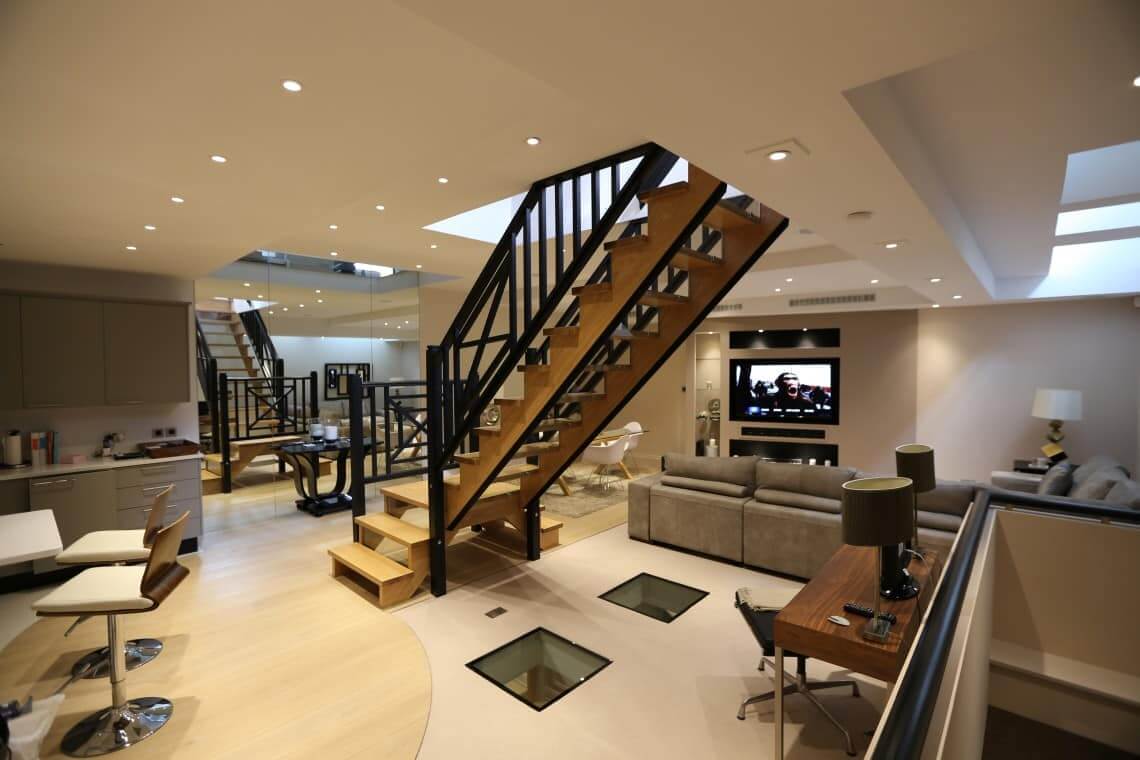
Convenience. A smart home removes friction from everyday life. No more fumbling for switches in the dark — motion sensors turn on hallway lighting automatically, or your phone triggers lights as you arrive home. Adjusting the temperature no longer requires climbing stairs to the boiler room; a single touch on a wall keypad or app controls the whole house.
Energy efficiency. Automated heating and cooling responds to occupancy and time of day, reducing energy waste. When nobody’s home, the system drops the temperature. Motion sensors ensure lights only run in occupied rooms. These savings often recover the system cost within 5–7 years.
Security and peace of mind. Integrated security gives you visibility and control from anywhere. Lock a door you forgot, view security cameras, verify that windows are closed — all from your phone. Automated routines increase security: lighting comes on as you approach, simulating occupancy while you’re away.
Entertainment and lifestyle. Movie night, dinner party, working from home — each scenario can have a custom scene that sets lighting, blinds, temperature and audio in one tap. A properly designed smart home becomes invisible once set up — it simply knows what you want and delivers it.
Resale value and property appeal. A well-integrated smart home system adds genuine value to a property, particularly in urban markets and high-value segments where automation and convenience command a premium.
—
Getting Started: A Sensible Progression
Most of our clients don’t start with a fully integrated smart home. They begin with a single upgrade — often mood lighting — then expand from there as they understand the potential and the benefits.
Phase 1: Lighting. Start here. Lutron RadioRA 3 or Crestron PoE lighting gives you fingertip dimming and scene control at a fraction of the cost of full home automation. Wireless retrofit options are practical for homes where rewiring isn’t feasible. Within weeks, you’ll wonder how you ever lived without it.
Phase 2: Add climate. Centralised control of heating and cooling through the same keypads or app. Temperature scheduling ensures comfort when you’re home, efficiency when you’re away. Zoned systems let different rooms run at different temperatures.
Phase 3: Blinds and shading. Motorised blinds respond to time of day, light level or voice command. Privacy without effort, energy savings from shading on hot days, and the ability to create ambient scenes (cinema mode closes blinds, theatrical mode darkens them further).
Phase 4: Security integration. Locks, cameras and alarm systems join the platform. “Away” mode locks doors in sequence, arms the alarm, and confirms everything’s secure. “Welcome home” disarms the alarm and unlocks the front door.
Phase 5: Entertainment and audio distribution. Multi-room audio lets music follow you through the house. Video distribution means any source (Apple TV, Blu-ray, streaming service) can play on any display. The same system controls everything.
This progression is intentional — you’re not over-committing to a system you don’t yet trust, and you’re building value incrementally. Each phase works independently, so Phase 1 lighting continues working perfectly when Phase 2 climate control joins.
—
Choosing a Smart Home Platform: Crestron, Lutron, Control4 and Rako
Four platforms dominate the professional smart home market, and the choice matters — it shapes your system for the next decade.
Crestron. Crestron Home is genuinely flexible, supporting lighting, climate, blinds, security, audio and video in a single system. A PoE (Power over Ethernet) architecture means everything runs on network cabling — fewer wires to manage, cleaner installation. Crestron’s TouchScreen controls are excellent; their mobile app is robust. Ideal if you want a single integrated platform without compromise. Read our dedicated Crestron guide.
Lutron. Lutron dominates premium lighting and shading control. RadioRA 3 is wireless and intuitive; Homeworks QSX is their flagship, supporting unlimited fixtures with sophisticated scene programming. Lutron integrates well with third-party systems for climate and security, making it the natural choice if lighting is your priority. Many of our luxury clients start with Lutron lighting and layer on other systems. Read our dedicated Lutron lighting guide.
Control4. Control4 offers an app-first experience and integrates enthusiastically with third-party IoT devices — a good choice if you want flexibility and don’t mind mixing best-of-breed platforms. Less robust than Crestron or Lutron in some areas, but highly customisable. Read our dedicated Control4 guide.
Rako. Rako is a wireless lighting and shading platform that’s particularly strong in retrofit applications — ideal for period properties or situations where running new wiring is impractical. Rako’s wireless mesh network is reliable and intuitive, with excellent mobile app control and scene programming. It integrates well with third-party systems for climate and security, making it a sensible choice if wireless retrofit is your priority and you’re not committed to a single all-encompassing platform.
Our typical recommendation: start with lighting (Lutron, Crestron or Rako depending on wiring feasibility), then expand to climate and other systems on the same platform. Integrating multiple platforms is possible but adds complexity.
—
Smart Lighting Control — From Basics to Sophistication
Lighting is where smart home automation delivers the most immediate, visible benefit. Scenes, dimming, colour temperature adjustment (warm white in the morning, bright white during the day, warm again in the evening) transform how a space feels and functions.
Entry-level: Wireless retrofit. A wireless dimmer retrofit fits inside existing switches, letting you retrofit dimming to homes without access to neutral wires. Simple, effective, and doesn’t require rewiring. Good for older properties where running new cables is impractical.
Professional-grade: Lutron RadioRA 3 and Crestron PoE lighting. Both offer wireless or wired options with wall keypads and app control. RadioRA 3 excels at intuitive scene programming; Crestron integrates more tightly with video and security systems. Either choice is professional-grade and will operate flawlessly for 15+ years with no maintenance.
Luxury-grade: Lutron Homeworks QSX. The gold standard of lighting control, supporting unlimited fixtures, sophisticated colour temperature adjustment, and integrating seamlessly with architectural lighting design. Most of our high-end projects run Homeworks. Read our Homeworks guide.
Smart lighting also supports home cinema design — theatrical dimming that responds to the projector, pre-set scenes for different times of day, and precise control over accent lighting that would be impractical with traditional switches.
—
Climate Control and Integrated Heating Systems
A centralised climate system learns your preferences and schedules, reducing energy waste while maintaining comfort. Modern systems zone by room, so different areas can run at different temperatures — the master bedroom cool, the lounge warm, the upstairs study moderate.
Integration with occupancy sensors means the system knows when rooms are in use and only heats or cools accordingly. Integration with time-of-day scheduling means the system warms the house before you wake or before you arrive home from work. The net effect is genuine energy savings — typically 15–25% on heating and cooling costs.
Smart thermostats from Nest or Ecobee offer standalone capability, but professional platforms like Crestron offer superior integration with other systems, more sophisticated zoning, and better long-term reliability.
—
Motorised Blinds and Shading Control
Motorised blinds are often an afterthought, but they’re one of the highest-ROI additions to a smart home — they improve privacy, manage solar heat, enable entertainment scenarios, and deliver genuine convenience.
Lutron shading. Lutron Sivoia QSX is the industry standard. Silent operation, precise positioning, and integration with lighting scenes makes shading feel effortless. A Lutron shading system can be programmed to automatically close at sunset, open at sunrise, or close completely for cinema mode.
Motorised roller blinds. Retrofit option for existing windows, motorised rollers can be integrated into most control systems. Lower cost than architectural shading but effective for privacy and light control. Read our motorised blinds guide.
Shading is particularly valuable in home cinema rooms, where complete light control is essential, and in offices, where it manages glare and heat gain throughout the day.
—
Home Security and Access Control
Smart locks, integrated with the same platform as your lighting and climate, let you lock and unlock doors from your phone, set temporary PIN codes for guests or contractors, and receive notifications of door opening activity. Integration with security systems means the alarm arms and disarms alongside your security routines.
Security cameras integrated into your smart home platform let you check live feeds from anywhere, and automations can trigger recording if motion is detected during “away” mode. All of this centralised through the same app and keypads as your lighting and climate — no separate systems to manage.
Read our dedicated home security guide.
—
Distributed Audio and Multi-Room Entertainment
One of the most transformative smart home features is whole-house audio distribution — music in every room, responding to voice command, app control, or zone-based keypads. Walk into the kitchen and your playlist continues from where it was playing in the lounge. Move to the home cinema and the system switches to the movie source without fiddling with remotes.
Professional audio distribution differs from consumer systems like Sonos in reliability, integration depth, and long-term support. A Crestron or Lutron system handles audio distribution natively, supporting any audio source and routing it anywhere in the home. Sonos integrates well with third-party platforms but remains somewhat standalone.
Video distribution — any source on any display — is equally valuable. Kaleidescape movie servers hold your entire film library; a smart home platform routes any film to any TV. Sports events, streaming services, satellite TV — all controllable through a single app and integrated with your lighting and climate scenes.
—
Enterprise WiFi for Smart Homes
A smart home’s reliability depends entirely on your network. Consumer WiFi — a standard router in the hall cupboard — simply isn’t adequate once you’ve automated lighting, climate, security and audio throughout the house. Poor WiFi means intermittent control, cameras that drop offline, audio distribution that stutters.
Enterprise WiFi (Ruckus, Ubiquiti, or Cisco) blankets your entire home with strong, reliable signal. Access points in every zone mean your phone maintains a strong connection as you move room to room. More critically, the network prioritises time-sensitive traffic — your security system and climate control always work, even if someone’s streaming video in another room.
Read our dedicated home WiFi installation guide.
—
Voice Control and Third-Party Integration
Alexa, Google Home and Siri integration lets your smart home respond to voice commands. “Alexa, movie mode” dims the lights, closes the blinds, sets the temperature and routes the Apple TV to your cinema.
Most professional platforms integrate with at least one major voice assistant, and the integration is two-way — your system controls the smart speakers, and they control your smart home. The caveat: don’t rely on voice alone as your only interface. Voice works until the internet drops or the microphone isn’t working; a hardwired wall keypad always works.
Third-party integration (Nest thermostats, Ring doorbells, smart plugs) is possible on platforms like Crestron and Control4, but it adds complexity. We generally recommend staying within a single ecosystem — use Lutron for shading, Crestron for everything else, or Control4 plus their preferred integrations — rather than mixing multiple best-of-breed systems.
—
Smart Home Design Process — How We Approach It
A well-designed smart home is invisible once installed — it simply knows what you want. A poorly designed one frustrates: buttons that don’t do what you expect, automations that trigger at the wrong time, or scenes that only half-work.
Step 1: Understand your lifestyle. We start by asking: how do you actually use your home? Movie nights? Working from home? Entertaining? Early mornings and late nights? Do you have children or elderly relatives? Each pattern shapes the design differently.
Step 2: Identify priorities. Lighting? Climate? Entertainment? Security? Allocate budget to what matters most. A client who loves hosting dinner parties prioritises lighting scenes and audio distribution. A client focused on energy savings prioritises climate and occupancy-driven automations.
Step 3: Map the physical space. Walk through the home room by room. Which zones make sense for climate control? Where should lighting scenes be programmed? Which rooms would benefit from motorised blinds?
Step 4: Specify the platform and equipment. Based on priorities and budget, select a control platform (Lutron, Crestron, or Control4), lighting system, climate approach, and any security/audio requirements.
Step 5: Programme scenes and automations. The real artistry comes here. We programme scenes that respond to your behaviour — movie time, dinner party, goodnight, away, good morning — and automations that adjust lighting based on time of day or occupancy.
Step 6: Test and refine. Nothing works perfectly on first run. We live with the system, adjust automations, tweak timings, and refine until it feels effortless.
—
What Affects the Cost of a Smart Home?
Smart home budgets vary enormously, and no two properties are alike. Rather than quoting generic figures, it is more useful to understand what actually drives the cost of a system:
- Size of the property and number of rooms: the number of lighting circuits, keypads, zones and control points scales directly with the size of the home and how many rooms are included.
- Scope of integration: lighting alone is a very different project to full integration of lighting, climate, shading, security and audio. Each system added extends the design, hardware and programming.
- Hardware tier: wireless retrofit lighting, professional-grade platforms and luxury-grade systems such as Lutron Homeworks QSX sit at different levels of capability and specification.
- Existing infrastructure: homes with suitable cabling and network infrastructure are simpler than those needing new wiring, containment or a network upgrade.
- Entertainment and cinema requirements: multi-room audio, video distribution and dedicated cinema rooms add both equipment and integration complexity.
- Engineering, installation and programming: the technology itself is only part of the picture — design, installation, programming and commissioning are a significant part of the overall project.
Because every project is different, we provide a free, detailed quotation based on your property and priorities, with no hidden costs. Get in touch to discuss your requirements.
The business case improves over time: energy savings typically recover climate control costs within 5–7 years, improved security can reduce insurance premiums, and the convenience and property value uplift are difficult to quantify but genuinely meaningful.
—
Frequently Asked Questions — Smart Homes
Can I add smart home features to an older property?
Yes. Wireless options like Lutron RadioRA 3 retrofit into existing switches without rewiring. If you’re comfortable with infrastructure work, running new wiring during renovation opens more possibilities.
What happens if the internet goes down?
Most local automations (scenes, motion sensors, scheduled events) work even without internet. Remote control via app obviously requires internet, but the house continues operating locally.
How long does installation take?
A simple lighting retrofit takes 2–3 days. A full home automation system typically takes 1–2 weeks for wiring, installation, programming and testing.
Will my smart home become obsolete?
Professional systems like Crestron and Lutron are updated regularly and supported for 15–20 years. Consumer WiFi gadgets have shorter lifespans but can usually be replaced without affecting the core system.
Can I install it myself?
Lighting retrofits and simple wireless systems are DIY-friendly. Complex integrations, wiring infrastructure and security systems require professional installation — the engineering, testing and commissioning justify the cost.
Smart Home Examples From Our Portfolio
Browse our case studies for inspiration:
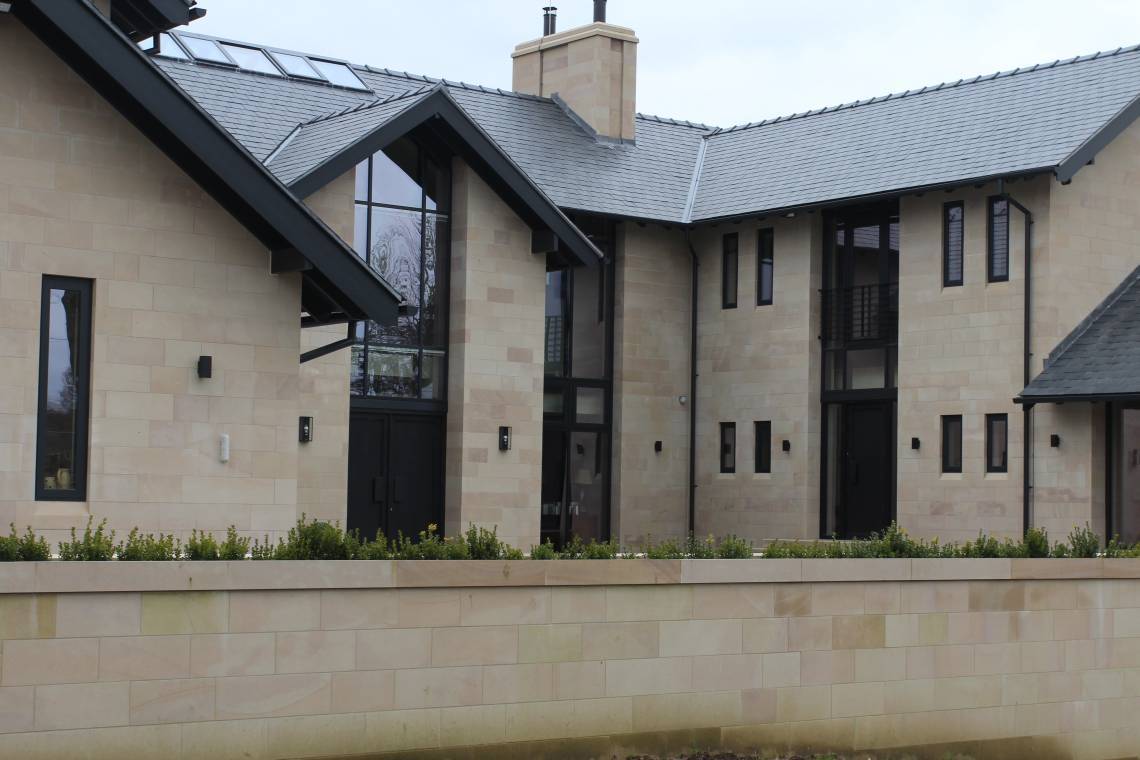
- Crestron Smart Home — Primrose Hill – Full home automation across multiple zones
- Smart Home in Dubai – Luxury villa automation with climate, security, entertainment
- Smart Home Alpine Chalet – Chalet automation in the French Alps
Ready to explore smart home automation for your property? Get in touch for a free consultation. Custom Controls are certified dealers for Crestron, Lutron, Control4 and Trinnov, with 25+ years of smart home design and installation experience.